

Takeaway
When a Python module is “installed” but a tool swears it’s missing, stop reinstalling it and ask which interpreter is doing the looking. Build systems like ECM often run Python with -E and -s to get a clean, reproducible environment, and that clean environment deliberately ignores pipx venvs and user site directories. Install the package where the build’s Python can actually import it, via your distro or a venv, and the error disappears.
The fastest way to debug this whole class of problem is one line: python3 -Esc "import the_module"; echo $?. If that fails while your normal shell succeeds, you’ve found your answer.
Here’s what’s happening and how to fix it for good.
The Error That Makes No Sense
You’re building KDE with kde-builder, working through the usual dependency dance, build, hit an error, read the log, install the missing piece, --resume-from, repeat. Then you hit this:
CMake Error at .../share/ECM/modules/ECMGeneratePythonBindings.cmake:79 (message):
The 'build' Python module is needed for ECMGeneratePythonBindings
So you install it. You run pipx install build, force-reinstall it for good measure, double-check your PATH includes ~/.local/bin and the pipx venv directories. Everything looks right. import build works fine in your shell. And CMake still insists the module is missing.
The frustrating part is that you’ve done nothing wrong by normal standards. The check itself is just stricter than a normal import.
The Line That’s Actually Biting You
Look at line 76 of ECMGeneratePythonBindings.cmake, the command that runs right before the error:
cmake
execute_process(COMMAND ${Python3_EXECUTABLE} -Esc "import build" ...)The whole problem lives in two flags:
-Etells Python to ignore everyPYTHON*environment variable.-stells Python to skip your user site directory, the~/.local/lib/...path where user-level installs normally live.
So CMake isn’t running Python the way your shell does. It’s deliberately running it in a stripped-down, isolated mode that ignores most of the places a package could be installed. A module that imports perfectly in your terminal can be completely invisible to this check.
That’s why none of your PATH edits changed anything. The problem was never PATH.
Why Pipx Specifically Fails Here
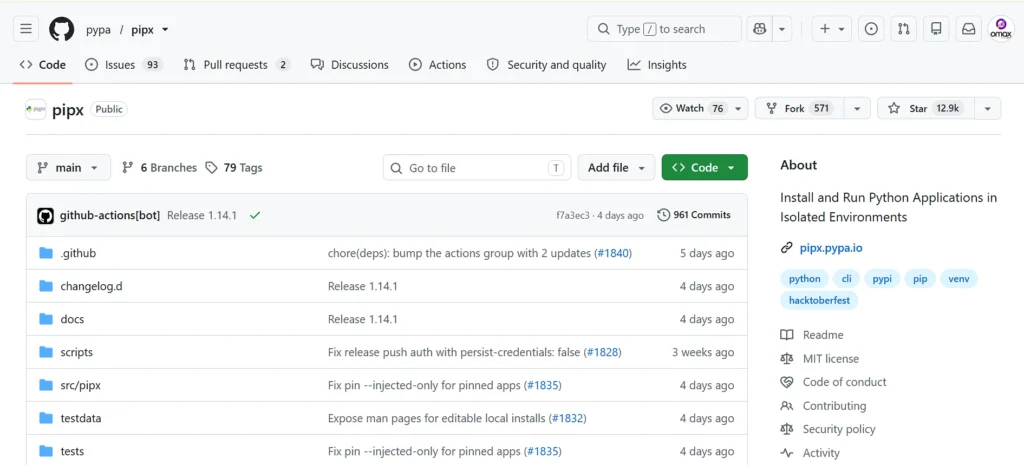
This is the heart of it. pipx is built to install command-line applications, and it does that by putting each one in its own isolated virtualenv, then exposing only a shim on your PATH so you can run it as a command.
That design is great for CLI tools. It’s exactly wrong here, because ECM doesn’t want to run a build command. It wants to import build from one specific interpreter, the one CMake found and stored as Python3_EXECUTABLE. A pipx-installed package isn’t importable by some other arbitrary Python, and the -Es flags block the user paths anyway.
In short: pipx’s isolation, the very feature that makes it useful, is what’s hiding the module from CMake.
Confirm It In Ten Seconds
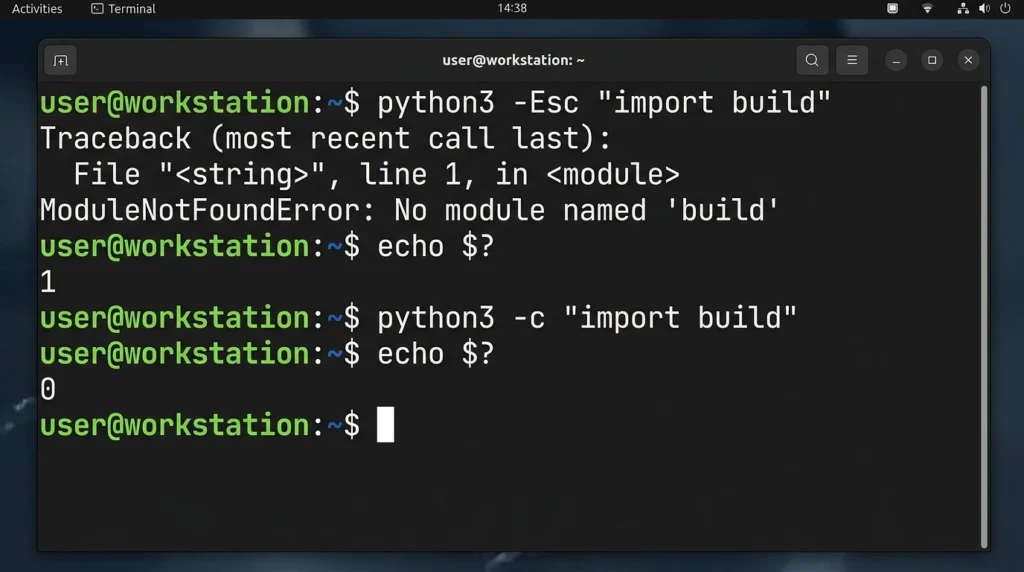
Before changing anything, prove the diagnosis. Run the same command CMake runs:
bash
python3 -Esc "import build" ; echo $?Then compare it to a normal import:
bash
python3 -c "import build" ; echo $?If the first prints a non-zero exit code and the second prints 0, that’s your confirmation. The module is installed, but not in a place the isolated interpreter can reach.
The Fix
The goal is simple: make build importable by the actual interpreter CMake is using, not by a pipx app. First, clear out the pipx copy so it stops confusing things:
bash
pipx uninstall buildThen pick the option that matches how you build KDE.
Option 1 – distro package (simplest, especially on Arch). A distro-installed package lands in the system site-packages, which survives the -Es flags because it isn’t a user or environment path.
bash
sudo pacman -S python-buildOn Debian/Ubuntu the equivalent is sudo apt install python3-build, and on Fedora sudo dnf install python3-build.
Option 2 – a dedicated venv for the KDE build (clean and flag-proof). This keeps your build’s Python self-contained and predictable.
bash
python3 -m venv ~/kde/python-venv
source ~/kde/python-venv/bin/activate
pip install build
Then build from within the activated venv so Python3_EXECUTABLE resolves to that interpreter.
Option 3 – plain pip into your user environment. This works in many setups, though it’s the least robust against the -Es flags, so reach for option 1 or 2 if it doesn’t take:
bash
python3 -m pip install --user buildAfter whichever you choose, re-run the confirmation check from above. You want python3 -c "import build" returning 0 against the same python3 CMake uses.