

You hit refresh. Blank page. 500.
You check the error log. Empty. You check Nginx. Nothing. You SSH into the database server, log in with the same credentials your app is supposedly using, and everything works fine. The database is up. The user exists. Permissions are correct. And yet the moment your PHP app touches the database, you get an HTTP 500 with absolutely no useful information anywhere.
This is the worst category of bug. Not because it’s hard — it’s almost never hard once you can see the actual error — but because PHP has, by default, been told to hide the answer from you. Our PHP team at Programmatic LLC sees this exact query come through Aqib’s intake every week. Different stack, different framework, same silence. The database isn’t broken. PHP is just configured, in two or three places stacked on top of each other, to throw the error away before it reaches a log file.
The Order That Actually Saves Your Database
If you take one thing away from this, take the order:
- Grep for
@in front of database calls. Remove or comment them in the affected path. - Verify
log_errorsis on. Verify the log path is writable by the PHP-FPM user. - Check the framework log. It’s almost certainly already there.
- Reproduce with display errors temporarily on.
- Read the actual error. Apply the fix from the section above.
Most people start at step 5. They run SHOW PROCESSLIST. They double-check credentials. They restart things. None of which helps because they don’t yet know what failed.
Start at step 1. The error you need is already there. You just have to let PHP show it to you.
Why the HTTP 500 Error in PHP Stays Silent
There are four layers. Old codebases usually have at least two of them active. Sometimes all four.
The @ operator. This one drives me up the wall. Somewhere, years ago, a developer wrote:
php
$db = @mysqli_connect($host, $user, $pass, $name);That @ silences every error from the line. Including the one telling you why the connection failed. Inherited PHP projects are riddled with it. Grep before you do anything else:
bash
grep -rn "@mysqli\|@new PDO\|@mysql_" /var/www/your-app/Every match is a place where PHP has been told to discard the message you actually need. Comment them out for the diagnosis. You can put them back later if you really must.
display_errors off without log_errors on. Production should have display_errors = Off. Fine. But if log_errors is also off, or — and this is more common than it should be — the configured log path doesn’t exist or PHP-FPM can’t write to it, the error vanishes.
bash
php -i | grep -E "display_errors|log_errors|error_log"The path matters. Check it. If PHP-FPM runs as www-data and the log directory is owned by root with no write permissions, every error gets silently dropped. Nobody tells you this. You just see nothing.
error_reporting set too low. MySQLi connection failures emit at E_WARNING level. If someone set error_reporting = E_ERROR for “cleaner logs,” the warning gets filtered out before it’s written. Production minimum is E_ALL & ~E_DEPRECATED. Anything stricter and you’re hiding the message you’re trying to find.
Framework exception handlers. Laravel, CodeIgniter, WordPress — they all install global handlers. And somewhere in your app, there’s a good chance someone added a custom set_exception_handler() that catches \Throwable, returns a generic 500 view, and logs nothing. The exception never reaches PHP’s own error_log because the framework caught it first.
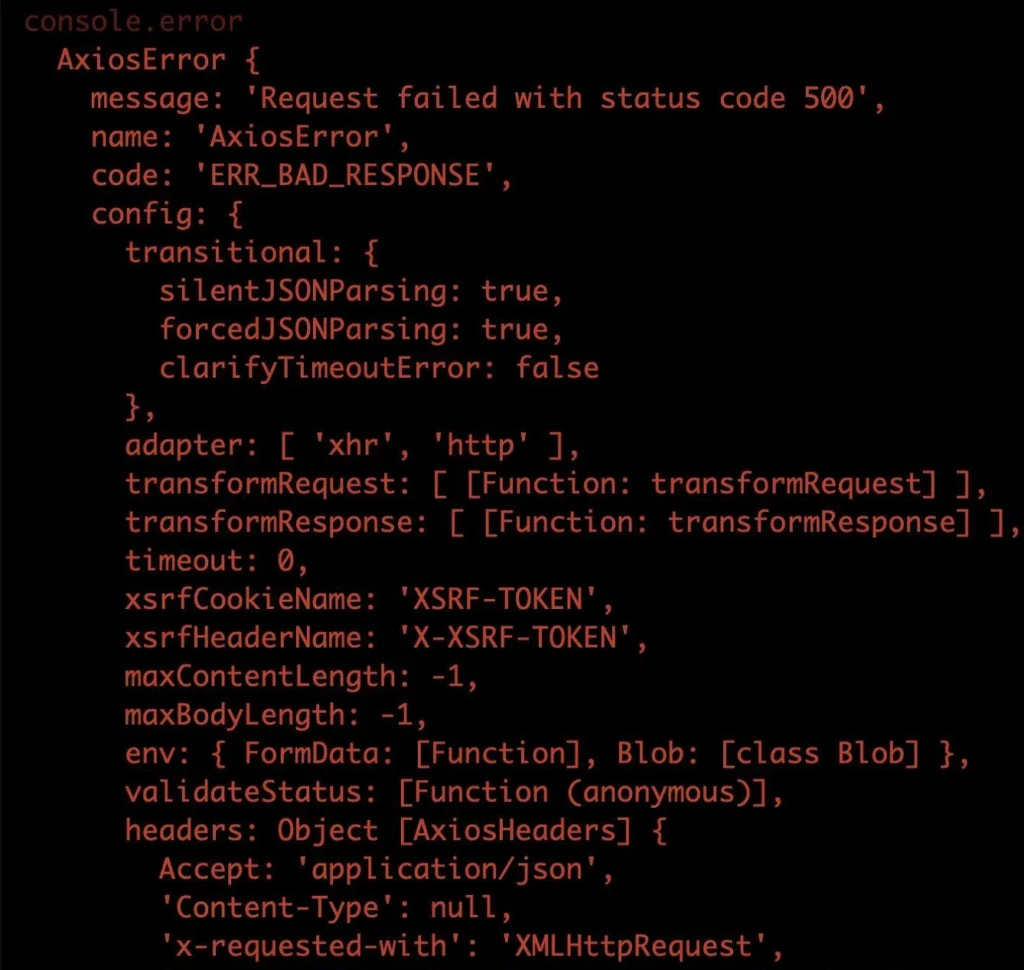
Once these are clean, turn on full reporting in staging:
php
ini_set('display_errors', '1');
ini_set('display_startup_errors', '1');
error_reporting(E_ALL);
Reproduce the request. The error message will appear. From there, you’re not guessing anymore.
The Five Connection Failures That Cause This
Once you can actually see the error, it’ll almost always be one of these five. I’ll go through them in roughly the order we see them at FSIblog.
Hostname Doesn’t Resolve
PHP Warning: mysqli_connect(): php_network_getaddresses: getaddrinfo for db.internal failed: Name or service not knownThe app server can’t find the database server. That’s it. The database is fine — your application just doesn’t know where to look.
bash
getent hosts db.internalIf that fails from the application host, your problem is DNS. Not PHP. Happens most often after a Docker network rebuild, a server migration, or a managed database provider rotating its endpoint without you noticing. Fix the hostname, restart the network, done.
MySQL 8 Auth Plugin Mismatch
After someone upgrades the database to MySQL 8, this hits.
PHP Warning: mysqli_connect(): The server requested authentication method unknown to the client [caching_sha2_password]MySQL 8 ships with caching_sha2_password as the default. PHP older than 7.4 doesn’t speak it. The connection fails at the handshake, before authentication even gets started.
Check the user:
sql
SELECT user, host, plugin FROM mysql.user WHERE user = 'app_user';If you see caching_sha2_password and you’re on old PHP, that’s the problem. Upgrade PHP if you can. If you can’t (and on inherited codebases you often can’t), switch the user back:
sql
ALTER USER 'app_user'@'%' IDENTIFIED WITH mysql_native_password BY 'existing_password';
FLUSH PRIVILEGES;
Too Many Connections
This one’s a production-only horror. Staging has two concurrent connections, everything runs fine, you deploy, and the site falls over at peak traffic.
PHP Warning: mysqli_connect(): (HY000/1040): Too many connectionsConfirm:
sql
SHOW STATUS LIKE 'Threads_connected';
SHOW VARIABLES LIKE 'max_connections';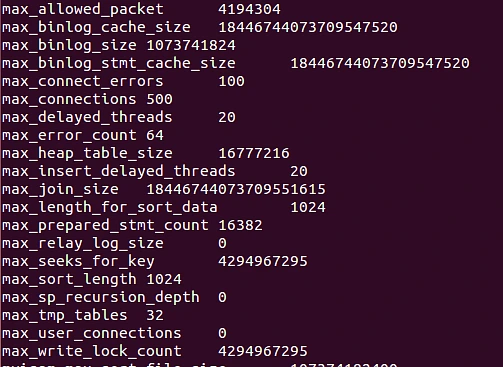
If Threads_connected is bumping against max_connections, you’ve found it. But here’s where most people make a mistake: they raise max_connections and move on. That’s a patch, not a fix. The real cause is almost always PHP code opening a connection per request and never closing it, combined with PHP-FPM workers that hold those connections open for their entire lifetime.
Two ways to fix it. Close explicitly when you’re done:
php
$db = new mysqli($host, $user, $pass, $name);
// ... your work ...
$db->close();
Or use persistent connections, which reuse what’s in the worker pool:
php
$db = new mysqli('p:' . $host, $user, $pass, $name);Persistent connections tie your total connection count to worker count instead of request rate. Which is what you want.
TLS Handshake Failure on Cloud Databases
If you’ve just migrated to RDS, Cloud SQL, Aiven, or PlanetScale, this one will hit you.
PHP Warning: mysqli_real_connect(): (HY000/2002): SSL connection error: certificate verify failedManaged providers require TLS by default. Your PHP environment doesn’t have the provider’s CA bundle. TLS handshake fails before authentication starts.
Download the CA bundle from your provider. AWS publishes the RDS one. Google publishes the Cloud SQL one. Drop it on the server and tell PDO about it:
php
$pdo = new PDO(
    "mysql:host=$host;dbname=$name",
    $user,
    $pass,
    [
        PDO::MYSQL_ATTR_SSL_CA => '/etc/ssl/certs/rds-ca-bundle.pem',
        PDO::MYSQL_ATTR_SSL_VERIFY_SERVER_CERT => true,
    ]
);
And please — do not set MYSQL_ATTR_SSL_VERIFY_SERVER_CERT => false in production to make the error go away. Yes, it’ll connect. It’ll also strip the security TLS exists to provide. Use the actual CA bundle.
The Connection That Dies After a While
This is the sneaky one. Connection works at first. Requests go through. Then, twenty minutes in, requests start failing with:
PHP Warning: Error while sending QUERY packetOr sometimes the friendlier-but-still-useless:
MySQL server has gone awayWhat’s happening: MySQL’s wait_timeout killed an idle connection that PHP-FPM was still holding in memory. The connection object exists on the PHP side. The server already closed it. The next query through that handle dies.
sql
SHOW VARIABLES LIKE 'wait_timeout';Default is 28800. Many managed providers cut it down to 60 or 120. If you’re using PDO::ATTR_PERSISTENT => true and your workers stay idle longer than that, you’re going to hit this.
The fix is a liveness check before each query:
php
if (!$db->ping()) {
    $db = new mysqli($host, $user, $pass, $name);
}
PDO doesn’t have a native ping(). Wrap your queries in a try/catch and reconnect on error 2006 (MySQL server has gone away).
Frameworks Hide Errors Differently
Each framework adds its own suppression on top of PHP’s. So before you spend an hour wondering why nothing’s logging, check the framework log too — it’s often in a completely different place from PHP’s error_log.

WordPress. The wp-db.php bail() method shows “Error establishing a database connection” and exits. The real mysqli error gets thrown away unless you tell wp to log it:
php
define('WP_DEBUG', true);
define('WP_DEBUG_LOG', true);
define('WP_DEBUG_DISPLAY', false);
Then the real error appears in wp-content/debug.log.
- Laravel. Database exceptions get written to
storage/logs/laravel.logregardless ofAPP_DEBUG. Always check that file first. Most of the time the error you’ve been looking for has been sitting there the whole time. - CodeIgniter 4. Set
CI_ENVIRONMENT=developmentin.env. Misconfigured failover entries inApp\Config\Databasecause silent retry loops. CI4 will keep trying the next failover entry and tell you nothing useful until you turn dev mode on.