
Don’t want to read everything first? Here’s the fastest way to get a scraper working right now.
- 1. Install the libraries:
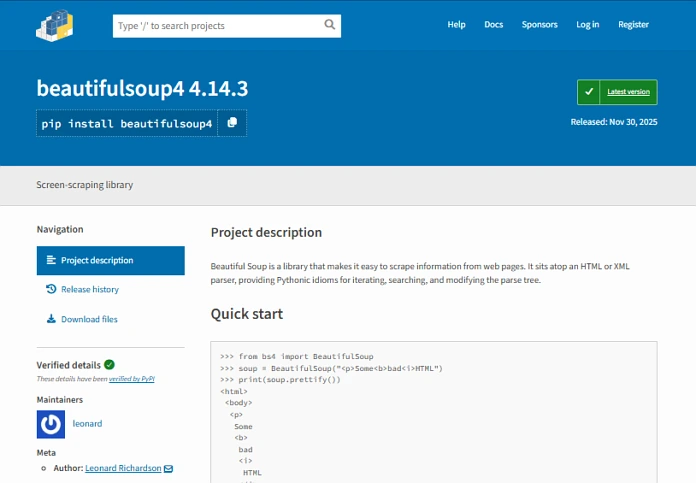
pip install requests beautifulsoup4 lxml2. Copy this script and run it:
import requests
from bs4 import BeautifulSoup

# Fetch the page
url = "https://books.toscrape.com/"
response = requests.get(url)

# Parse the HTML
soup = BeautifulSoup(response.text, "lxml")

# Extract book titles and prices
for book in soup.select("article.product_pod"):
    title = book.select_one("h3 a")["title"]
    price = book.select_one(".price_color").text.strip()
    print(f"{title} - {price}")
3. Run it:
python scraper.pyExpected output:
A Light in the Attic — £51.77
Tipping the Velvet — £53.74
Soumission — £50.10
...
What Is Web Scraping?
Every time you visit a website, your browser downloads a bunch of HTML, CSS, and JavaScript and turns it into the page you see on screen. Web scraping is simply the process of writing a program that does the same thing but instead of displaying the page, it reads it and pulls out the data you care about.
Before You Start: Is It Legal?
This is the first question every beginner should ask and the honest answer is: it depends.
Here are a few ground rules to keep you on the right side of things:
- Check
robots.txt– Visithttps://example.com/robots.txt. This file tells you which parts of a site the owner doesn’t want bots to access. Respect it. - Read the Terms of Service – Some sites explicitly prohibit scraping. If they do, don’t scrape them.
- Don’t overload servers – Add delays between your requests. A flood of rapid requests can crash a server and land you in legal trouble.
- Don’t scrape personal data – Names, emails, and private information are protected in many countries.
Tools You’ll Need
Python is the go-to language for web scraping, thanks to its simple syntax and powerful libraries. Here’s what we’ll use in this guide:
| Library | What it does |
|---|---|
requests | Fetches the raw HTML of a web page |
BeautifulSoup | Parses HTML and lets you search through it |
lxml | A fast HTML parser used alongside BeautifulSoup |
Install them all in one command:
pip install requests beautifulsoup4 lxmlFetching a Web Page
The first step is downloading the HTML of the page you want to scrape. The requests library makes this dead simple.
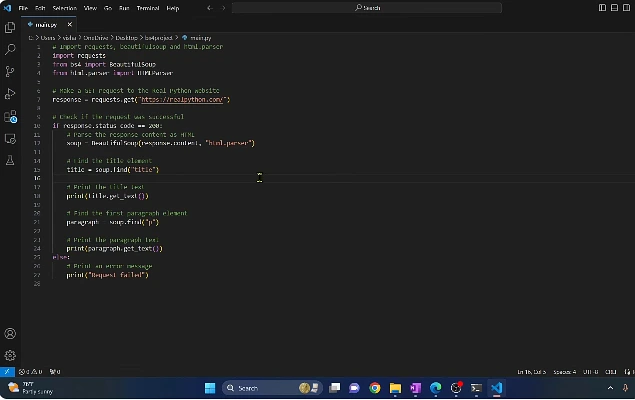
import requests

url = "https://books.toscrape.com/"
response = requests.get(url)

print(response.status_code)  # 200 means success
print(response.text[:500])   # Print first 500 characters of HTML
A status code of 200 means everything went fine. If you see 403, the site is blocking you. If you see 404, the page doesn’t exist.
Parsing HTML with BeautifulSoup
Raw HTML is messy and hard to work with directly. BeautifulSoup turns it into a structured object you can navigate easily.
from bs4 import BeautifulSoup

soup = BeautifulSoup(response.text, "lxml")

# Get the page title
title = soup.find("title")
print(title.text)  # e.g., "All products | Books to Scrape"
Think of soup as a smart document you can ask questions like: “Find me all the <h3> tags” or “Give me every link on this page.”
Finding Elements
BeautifulSoup gives you two main tools for finding elements:
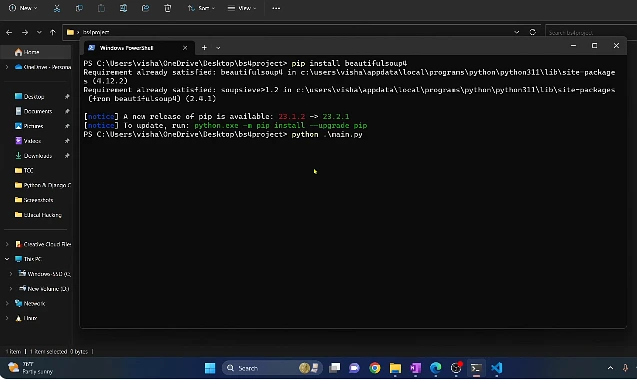
find() returns the first match
first_book = soup.find("article", class_="product_pod")
print(first_book)
find_all() returns all matches as a list
all_books = soup.find_all("article", class_="product_pod")
print(f"Found {len(all_books)} books on this page")
CSS Selectors with select()
If you’re familiar with CSS, you can use selectors directly:
# Select all <h3> tags inside an article tag
titles = soup.select("article.product_pod h3 a")
for t in titles:
    print(t["title"])  # Get the "title" attribute
Extract the Data You Want
Let’s put it all together and extract the title and price of every book on the page.
import requests
from bs4 import BeautifulSoup

url = "https://books.toscrape.com/"
response = requests.get(url)
soup = BeautifulSoup(response.text, "lxml")

books = []

for article in soup.select("article.product_pod"):
    title = article.select_one("h3 a")["title"]
    price = article.select_one(".price_color").text.strip()
    rating = article.select_one("p.star-rating")["class"][1]  # e.g. "Three"

    books.append({
        "title": title,
        "price": price,
        "rating": rating,
    })

for book in books[:5]:
    print(book)
Output:
{'title': 'A Light in the Attic', 'price': '£51.77', 'rating': 'Three'}
{'title': 'Tipping the Velvet', 'price': '£53.74', 'rating': 'One'}
...
Handling Multiple Pages
Most real-world sites spread data across multiple pages. Here’s how to loop through them automatically.
import requests
from bs4 import BeautifulSoup
import time

BASE_URL = "https://books.toscrape.com/catalogue/"
all_books = []
page = 1

while True:
    url = f"{BASE_URL}page-{page}.html"
    response = requests.get(url)

    # Stop if the page doesn't exist
    if response.status_code == 404:
        break

    soup = BeautifulSoup(response.text, "lxml")

    for article in soup.select("article.product_pod"):
        title = article.select_one("h3 a")["title"]
        price = article.select_one(".price_color").text.strip()
        all_books.append({"title": title, "price": price})

    print(f"Scraped page {page} - {len(all_books)} books so far")
    page += 1
    time.sleep(1)  # Be polite - wait 1 second between requests

print(f"\nTotal books scraped: {len(all_books)}")
Saving Your Data
Once you’ve collected data, you’ll want to save it. CSV and JSON are the most common formats.
Save as CSV
import csv

with open("books.csv", "w", newline="", encoding="utf-8") as f:
    writer = csv.DictWriter(f, fieldnames=["title", "price"])
    writer.writeheader()
    writer.writerows(all_books)

print("Saved to books.csv")
Save as JSON
import json

with open("books.json", "w", encoding="utf-8") as f:
    json.dump(all_books, f, indent=2, ensure_ascii=False)

print("Saved to books.json")
Common Pitfalls & How to Avoid Them
Getting Blocked
Sites detect bots by looking at your request headers. Fix this by faking a browser identity:
headers = {
    "User-Agent": (
        "Mozilla/5.0 (Windows NT 10.0; Win64; x64) "
        "AppleWebKit/537.36 (KHTML, like Gecko) "
        "Chrome/120.0.0.0 Safari/537.36"
    )
}
response = requests.get(url, headers=headers)
JavaScript-Rendered Pages
Some sites load content dynamically via JavaScript so requests gets back an empty page. In that case, you’ll need Playwright or Selenium to control a real browser.
pip install playwright
playwright install chromium
Fragile Selectors
If a site changes its HTML layout, your selectors will break. Add error handling so your scraper doesn’t crash:
price_tag = article.select_one(".price_color")
price = price_tag.text.strip() if price_tag else "N/A"
Missing or None values
Always check if an element exists before accessing its text or attributes, or you’ll get an AttributeError.
A Complete, Reusable Scraper Template
Here’s a clean template you can adapt for almost any scraping project:
import requests
import json
import time
import logging
from bs4 import BeautifulSoup

logging.basicConfig(level=logging.INFO, format="%(levelname)s | %(message)s")
log = logging.getLogger(__name__)

HEADERS = {
    "User-Agent": (
        "Mozilla/5.0 (Windows NT 10.0; Win64; x64) "
        "AppleWebKit/537.36 (KHTML, like Gecko) "
        "Chrome/120.0.0.0 Safari/537.36"
    )
}

def fetch(url: str, retries: int = 3):
    for attempt in range(1, retries + 1):
        try:
            time.sleep(1.5)
            r = requests.get(url, headers=HEADERS, timeout=15)
            r.raise_for_status()
            return BeautifulSoup(r.text, "lxml")
        except requests.RequestException as e:
            log.warning("Attempt %d/%d failed: %s", attempt, retries, e)
            if attempt == retries:
                return None
            time.sleep(attempt * 2)

def scrape():
    data = []
    # --- your scraping logic here ---
    return data

if __name__ == "__main__":
    results = scrape()
    with open("output.json", "w", encoding="utf-8") as f:
        json.dump(results, f, indent=2, ensure_ascii=False)
    log.info("Done! Saved %d records.", len(results))
Summary
Web scraping with Python boils down to three steps:
- Fetch the page HTML using
requests. - Parse the HTML using
BeautifulSoup. - Extract the data using CSS selectors or
find()/find_all().
Add polite delays, handle errors gracefully, and always check the site’s terms before you start. With just these tools, you can collect virtually any publicly available data on the web.