

The production of videos in appropriate export formats enhances the quality of the videos, loading speed, and user satisfaction on digital platforms. Each platform has its own set of technical standards that affect the visual performance and user experience. Pippit’s range of powerful creation tools and flexible export options make video creation easy and efficient, enabling efficient video publishing to a variety of destinations without compromising professional appearance and visual quality.
Why Export Optimization Matters for Modern Video Publishing
With modern publishing, each platform has different ways of handling videos, so export planning is crucial. Social channels are constantly making adjustments to their recommended resolution, frame rates, aspect ratios, and compression standards. The correct settings ensure that the visuals are sharp and that playback problems are minimized between devices. The higher the quality, the longer people will watch and the more they will interact. Regular exports also help to build brand awareness, as viewers will have the same visual experience on each export. Planning is essential before creating content, and by using an AI video generator, technical consistency can be achieved to ensure seamless publishing on various platforms, including websites, social media, and marketing campaigns, without the need for extensive editing.
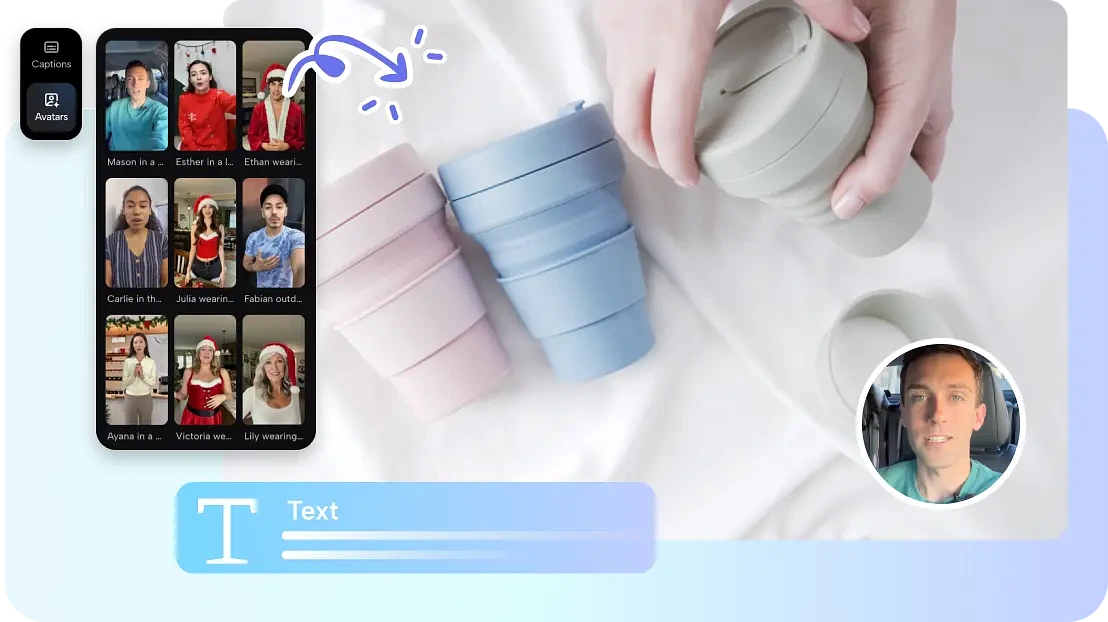
Prepare Videos for Flexible Multi-Platform Distribution
The successful distribution begins before the production starts because every later decision in the production is influenced by it. When creating footage, choose an aspect ratio that makes sense for the desired destination. While vertical formats are best for mobile-first platforms, landscape formats work well for websites, and square formats are ideal for feed-based publishing. Consider the length of the video and what platforms expect to see to keep viewers engaged and minimize the need for later editing. Design scenes that are flexible for layout using well-balanced framing and compositions. The flexibility is stronger with early planning in Seedance 2.5 as content flows seamlessly into multiple publishing formats while retaining important visual detail.
Steps to Produce Export-Optimized Videos for All Platforms via Seedance 2.5
Step 1: Prepare your export-ready video
- Sign up for Pippit using your Google, TikTok, or Facebook account details.
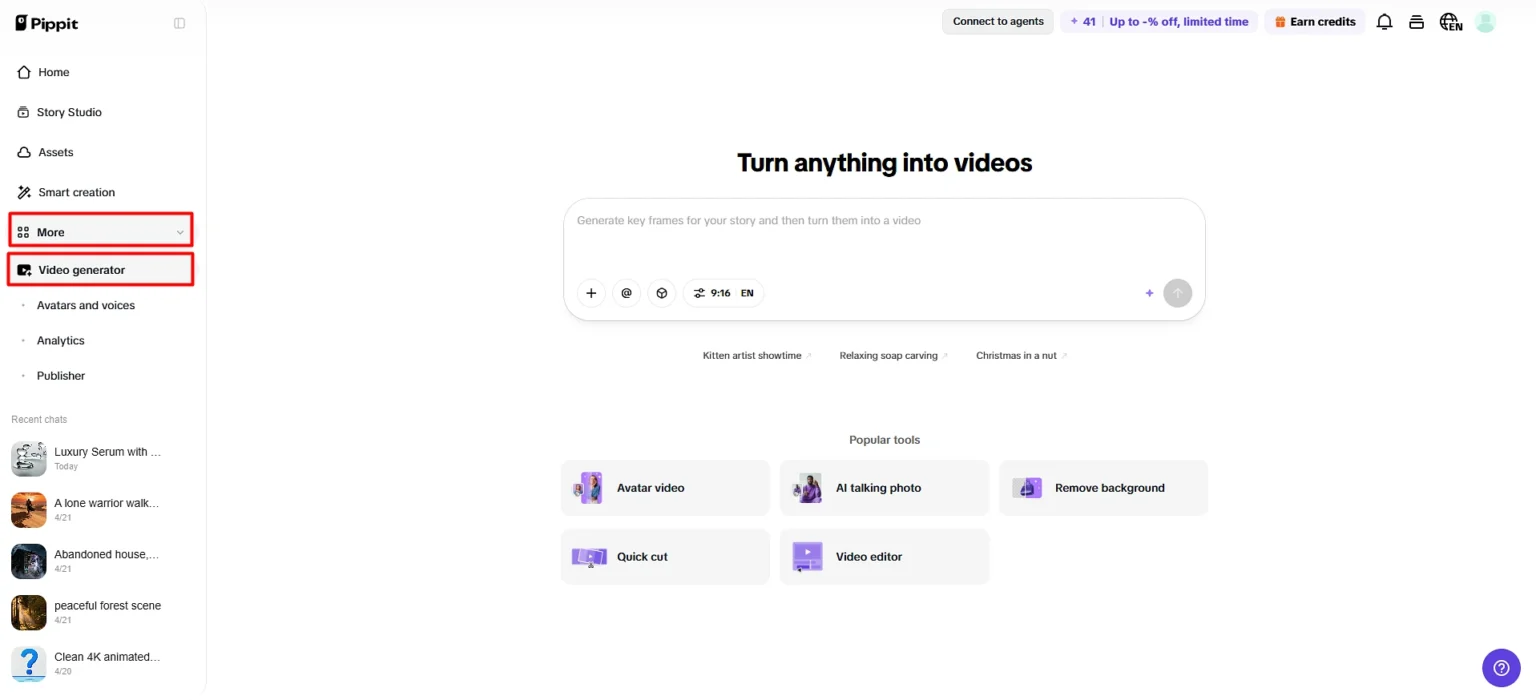
- Go to the “More” tab from the left vertical menu bar and open “Video generator”.
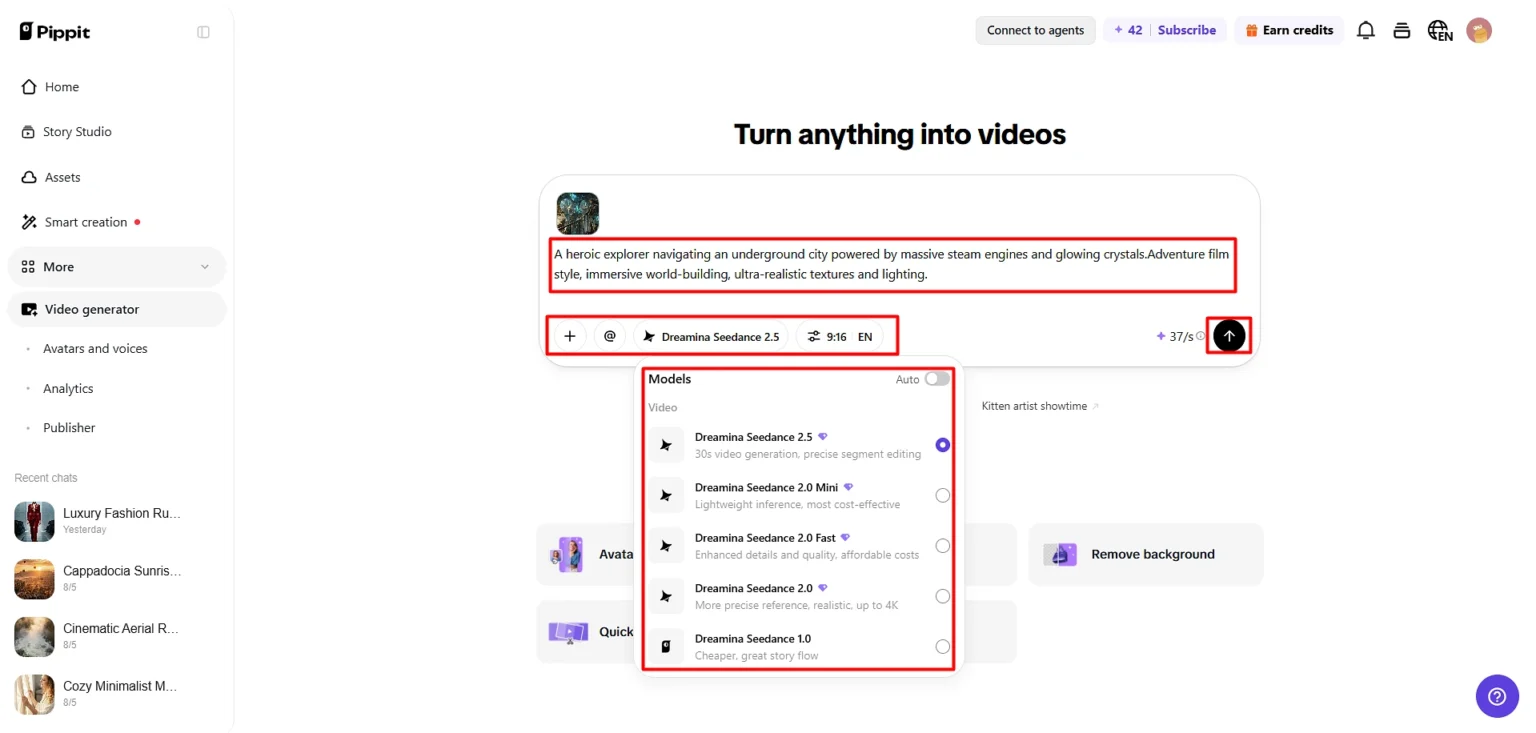
- Choose “Dreamina Seedance 2.5” as your AI model.
- Add a detailed text prompt describing the video style, platform needs, and output goals.
- Select video length, language, subtitles, and aspect ratio based on your requirements.
- Click “+” to upload reference images or videos from your device, phone, Dropbox, or a link. You can also select assets if you lack reference media.
- Click “Generate” to create your video.
Step 2: Generate a multi-platform video
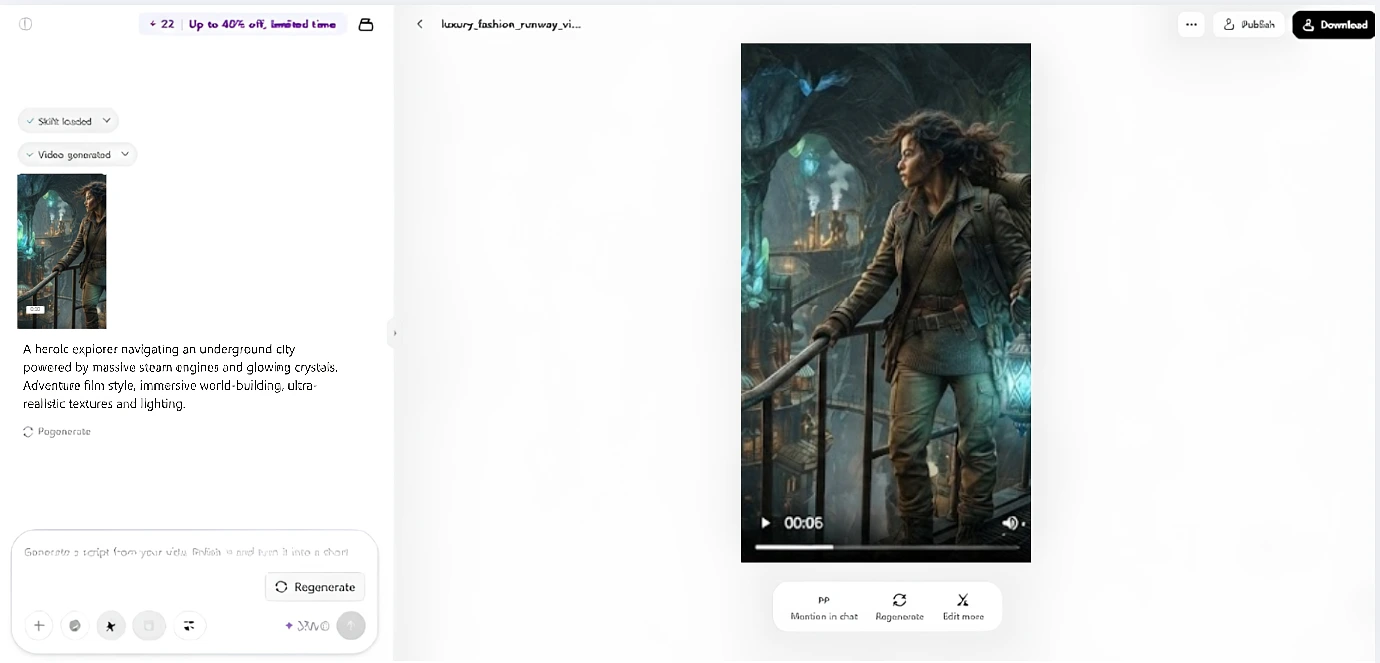
- After clicking “Generate”, Pippit’s AI video generator automatically creates a video using your prompt and reference media.
- The AI manages transitions, pacing, captions, avatars, voice, lyrics, and visual enhancements.
- You will receive a video draft to review.
Step 3: Optimize and export
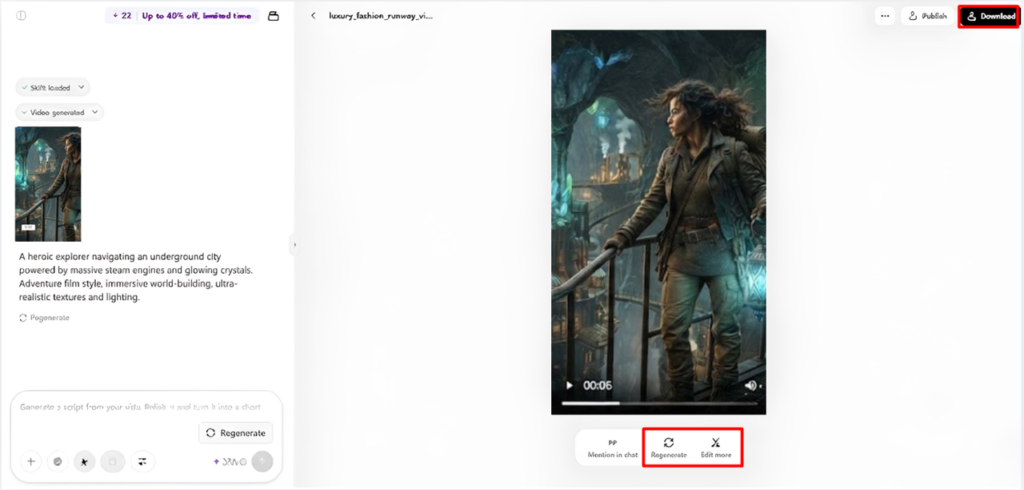
- Click the “Download” tab in the top right corner to save it. You can also choose “Regenerate” or click “Edit more” under the video for additional edits.
- Customize captions, text, size, color, alignment, filters, and effects.
- Add background music, remove backgrounds, and adjust visuals.
- Click “Export” in the top right corner.
- Choose “Publish” for direct posting on TikTok, Instagram, or Facebook, or click “Download” to save with your selected format, resolution, frame rate, and quality.
Build Videos That Stay Effective Across Every Platform
Good videos have a cohesive experience throughout, which means that each scene should support the others. Start with strong visuals that will grab attention within the first seconds. Ensure continuity of scene flow with logical sequence, pacing, and natural transitions. End with a compelling conclusion that drives home the desired message or brand. Be consistent with visual styling, using the same colours, typography, framing, and editing. Consistency enhances recognition and minimizes distractions, which can break the flow of the audience in various publishing environments served by Pippit.
Export Settings Worth Reviewing Before Publishing
It is important to verify export settings so that no technical mistake is made; it will affect the quality of the presentation after it is published. Make sure the resolution is sufficient for platform requirements for clear visuals. Select the appropriate frame rate for smooth motion without any unnecessary increase in file size. To make sure that the aspect ratio is the same as the target platform, check the aspect ratio before exporting. Take into account Subtitle Visibility, which can impact accessibility and understanding for viewers. Choose quality options that can help ensure clarity while keeping file sizes reasonable for faster uploads. Do a final playback before publishing since many problems may only be visible in the final export.
- Check the video resolution is right.
- Select the frame rate that you want.
- Make sure the aspect ratio is correct for the target platform.
- Test subtitle visibility prior to export.
- Choose good quality options that will balance between quality and file sizes.
- Test final playback prior to publication.
Enhance Export Quality with Seedance 2.5 Features
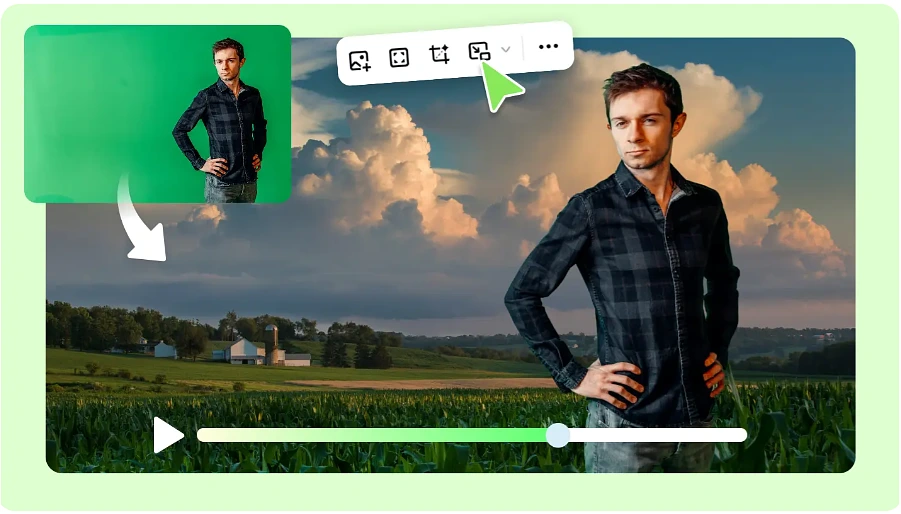
Consistency is increased before you start the final rendering process by using advanced creative features to enhance export quality. Timestamp prompts structure key moments in the story with more accuracy in linked scenes. During production, styling, product appearance, composition, and creative direction are guided by reference images and videos. Multiple versions of backgrounds for one generated project, for different campaigns, without repeating production with green screen editing. High-fidelity visual generation will create textures, lighting, movements, and subject details more realistically. These features work together to ensure that all marketing videos, promotions, product presentations and storytelling projects produced within Pippit are of a professional standard.
Adapt One AI Video into Multiple Publishing Formats
Advanced creative features enhance export quality by helping to reinforce consistency prior to final rendering. Timestamp prompts provide more precise organization of key moments in the story in linked scenes. Throughout production, the styling, product appearance, composition, and overall creative direction are guided by the images and videos. Green screen editing allows for multiple background versions from one generated project, allowing for different campaigns without repeat production. High-fidelity visual generation provides the sharpest textures, realistic lighting, smoother movement, and clearer details on the subject. These features ensure that marketing videos, promotions, product demos, and storytelling efforts are produced within Pippit with professional quality.
Final Quality Checklist Before Exporting
The careful checking of a successful publication is an integral part of each and every successful publication, because it guarantees that there are no preventable blunders before export. Look at scene transitions to ensure smooth transitions from key moments. Make sure of consistent branding – colour, logo, typography and messaging. Check caption accuracy: Wrong text is a sign of unprofessionalism and inaccessibility. Test the video before publishing, from start to finish, on the output format you are planning to use. A final review can discover any visual, timing, or formatting glitches and adds confidence that all exported versions run smoothly on different platforms.
Conclusion
For every destination, there are thoughtful planning, careful editing, detailed reviews, and appropriate export settings that are vital to professional publishing. Pippit’s flexible export controls cater to a variety of publishing needs and make video creation a breeze. Careful preparation, thorough quality control, and proper technical settings ensure that this is achieved, providing visual consistency, smooth playback, and increased engagement with the audience across websites, social media, promotions, and digital marketing materials.