

When this issue was assigned to our team for the client project, we reviewed the component and found that the hydration error is most likely coming from invalid HTML being rendered on the server and client.
In Next.js, hydration errors happen when the HTML generated on the server does not match what React expects on the client. React and Next.js both say the first client render must match the server-rendered markup, and mismatches should be treated as bugs.
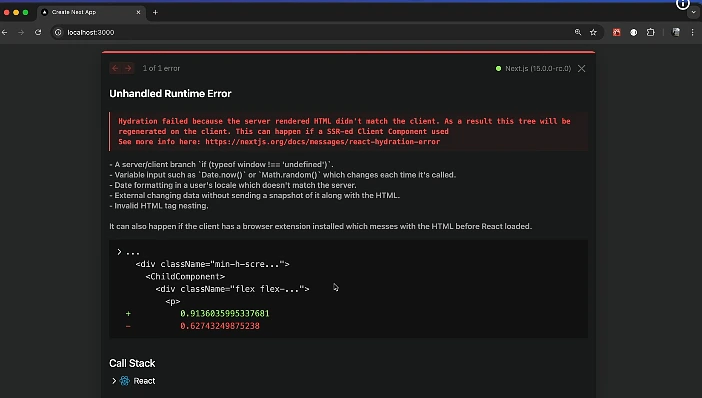
Your case is very likely caused by this line:
<p className="expert">{ReactHtmlParser(x.excerpt.rendered)}</p>
The WordPress API is already returning HTML like this:
<p>If you have heard that there are ways to make money while shopping in the UAE and would lik</p>
So ReactHtmlParser renders a
<p>...</p>inside another<p>. That creates invalid DOM nesting, which is a common cause of hydration failure in React/Next.js.
One Line Code for Quick Fix
Replace this:
<p className="expert">{ReactHtmlParser(x.excerpt.rendered)}</p>
with this:
<div className="expert">{ReactHtmlParser(x.excerpt.rendered)}</div>
That should fix your hydration error.
Follow Steps to Solve It
1. Find the real problem
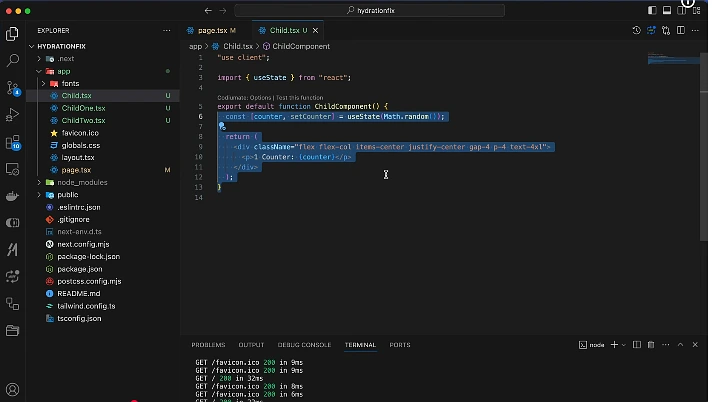
Your API already returns HTML tags in x.excerpt.rendered.
That means this code:
<p className="expert">{ReactHtmlParser(x.excerpt.rendered)}</p>
becomes something like:
<p class="expert">
  <p>Some excerpt text...</p>
</p>
That structure is invalid.
2. Remove the outer <p>
Render the parsed HTML inside a <div> or another block element instead.
3. Keep server and client output identical
Next.js recommends making sure the server-rendered HTML and first client render stay the same. Avoid rendering different markup between them.
4. Prefer safe HTML rendering
Since WordPress is returning HTML content, render it as HTML in a wrapper element. You can use a parser package, but the wrapper must not conflict with tags already coming from the API. The html-react-parser package is specifically meant to convert an HTML string into React elements.
5. Clean up the component
Your component does not need to copy props into state unless you plan to update them later. Keeping the data directly from props makes the component simpler and reduces unnecessary rendering complexity.
Takeaway Key for Help
The key fix is simple:
Do not wrap WordPress HTML output inside a
<p>tag when the API already returns<p>tags.
That is the main reason this page is throwing a React hydration error.
The Error in Your Current Code
Problem code
<p className="expert">{ReactHtmlParser(x.excerpt.rendered)}</p>
Why it fails
Because x.excerpt.rendered already contains paragraph markup from WordPress, the browser ends up receiving invalid nested paragraphs.
Example:
<p class="expert">
  <p>Excerpt from WordPress</p>
</p>
That mismatch can trigger:
Error: Hydration failed because the initial UI does not match what was rendered on the server.
Warning: Text content does not match server-rendered HTML.
These are the exact kinds of errors Next.js documents for hydration mismatches.
Complete Fix Steps
Step 1: Replace the outer <p> with <div>
Use this:
<div className="expert">{ReactHtmlParser(x.excerpt.rendered)}</div>
instead of this:
<p className="expert">{ReactHtmlParser(x.excerpt.rendered)}</p>
Step 2: Simplify the component
You do not need to store props.bloglist in state unless the data changes later.
Step 3: Improve the code structure
Also, in Next.js, it is better to use stable keys such as x.id instead of array index i.
Fix Code
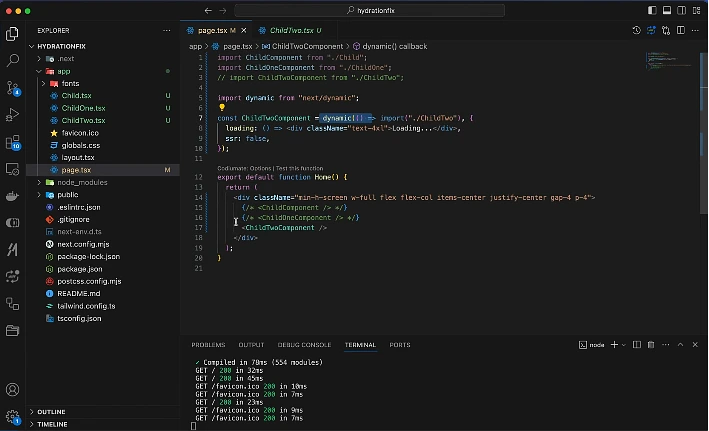
import React, { Component } from 'react';
import Link from 'next/link';
import { BiCalendar } from 'react-icons/bi';
import ReactHtmlParser from 'react-html-parser';export default class Blog extends Component {
  render() {
    const { bloglist } = this.props;    if (!bloglist || !bloglist.length) {
      return null;
    }    return (
      <div className="container blog-section">
        <div className="row">
          <h2>Latest Posts</h2>
        </div>        <div className="row">
          {bloglist.map((x) => (
            <div className="col-md-4 boxs text-center" key={x.id}>
              <div className="bg-info">
                <img
                  src={x.images?.large}
                  className="img-fluid"
                  alt={x.title?.rendered || 'Blog image'}
                />                <h3>{x.title?.rendered}</h3>                <p className="shopping">
                  <span>
                    <BiCalendar /> {x.date}
                  </span>
                </p>                <div className="expert">
                  {ReactHtmlParser(x.excerpt?.rendered || '')}
                </div>                <Link href={`/blog/${x.slug}/${x.id}`}>
                  <span className="readmore">Readmore</span>
                </Link>
              </div>
            </div>
          ))}
        </div>
      </div>
    );
  }
}
Better Option for Next.js Projects
A cleaner approach is to render the HTML directly:
<div
  className="expert"
  dangerouslySetInnerHTML={{ __html: x.excerpt?.rendered || '' }}
/>
That works well because WordPress already returns HTML. The important part is still the same: use a <div> wrapper, not a <p> wrapper.
Example:
import React from 'react';
import Link from 'next/link';
import { BiCalendar } from 'react-icons/bi';export default function Blog({ bloglist }) {
  if (!bloglist || !bloglist.length) return null;  return (
    <div className="container blog-section">
      <div className="row">
        <h2>Latest Posts</h2>
      </div>      <div className="row">
        {bloglist.map((x) => (
          <div className="col-md-4 boxs text-center" key={x.id}>
            <div className="bg-info">
              <img
                src={x.images?.large}
                className="img-fluid"
                alt={x.title?.rendered || 'Blog image'}
              />              <h3>{x.title?.rendered}</h3>              <p className="shopping">
                <span>
                  <BiCalendar /> {x.date}
                </span>
              </p>              <div
                className="expert"
                dangerouslySetInnerHTML={{
                  __html: x.excerpt?.rendered || '',
                }}
              />              <Link href={`/blog/${x.slug}/${x.id}`}>
                <span className="readmore">Readmore</span>
              </Link>
            </div>
          </div>
        ))}
      </div>
    </div>
  );
}
Team-to-Client Tone Writeup
Here is a polished project-style note you can share with your team member or client:
Issue Summary
We reviewed the Next.js blog page and identified the hydration error source. The page consumes content from the WordPress REST API, and the excerpt field already returns HTML markup. In the current implementation, that HTML is being parsed and wrapped inside another paragraph element, which creates invalid nested <p> tags. This causes a server/client markup mismatch during hydration.
Root Cause
The main issue is this pattern:
<p className="expert">{ReactHtmlParser(x.excerpt.rendered)}</p>
Because the API already returns paragraph tags, the final output becomes nested paragraph markup, which React cannot hydrate reliably in Next.js.
Fix Apply
We replaced the outer <p> wrapper with a <div> wrapper and cleaned up the component structure. This ensures that the HTML returned from WordPress renders correctly and matches during hydration.
Result
After the fix, the excerpt content renders properly, the invalid HTML nesting is removed, and the React hydration error is resolved.