



I assisted an acquaintance in the reconstruction of her patisserie website last spring. She had eleven handwritten thank-you cards affixed behind the counter, which she had accumulated over the course of six years, including nuptials, birthdays, and peaceful Tuesday mornings. Her website did not contain any of them. We scanned them, typed them, and inserted them into a rotating device that is situated directly above the order icon. The subsequent month saw an increase in online orders. This was not due to any cunning marketing strategy; rather, it was due to the fact that eleven genuine individuals were ultimately endorsing her in a manner that was visible to potential consumers.
That widget is called a quote slider, and most websites still treat it like decoration. This guide treats it like the conversion tool it actually is.
The Short Version
A quotation slider is used to rotate brief testimonials through a fixed location on a page. This minor component of the user interface is present due to the fact that individuals place a higher value on the opinions of others than they do on your marketing copy. The process of developing one entails four distinct steps: selecting a tool, customizing it to conform to your brand, incorporating the appropriate phrases, and positioning it in a strategic location where decisions are made. The subsequent stage is the most difficult, as it entails the connection of the slider to the logistics that guarantee the integrity of your testimonials over time, including the catalog structure, margin strategy, and recommendations.
What a Quote Slider Actually Is
Strip away the jargon and a quote slider is a small stage. One testimonial stands on it, says its piece, and steps aside for the next. The audience watches without scrolling, without clicking, without lifting a finger.
At a minimum, the majority of sliders include the quote, the individual's name, and a credibility indicator such as their job title, company, or photo. The reviews that are more refined include video snippets, star ratings, or links to the original review source.Here is a concrete picture. A dentist’s homepage has room for exactly one testimonial above the appointment button. Without a slider, the practice picks a favorite and swaps it manually every few months. With a slider, six testimonials share that same patch of screen, each one getting eight seconds before the next slides in. Same space, six times the social proof.
Why Bother in the First Place
Trust is the bottleneck on almost every website. Visitors arrive skeptical. Your own copy cannot fix that, because of course you think your business is good.
A slider quietly does three jobs at once. It compresses space, because ten testimonials would otherwise eat half a screen. It signals abundance, because rotation implies there are more where these came from. It adds gentle motion, which catches the eye in a way static text never will.
One more thing worth saying. A single testimonial in a box looks chosen, even cherry-picked. A slider with six quotes looks collected. That difference matters more than designers usually admit.
Picking the Right Slider Before You Build It
Not every slider belongs on every site. A meditation app needs something calm and slow. A streetwear store needs something punchy and fast. Match the slider to the temperament of the brand before worrying about features.
Three things separate the good tools from the rest.
- Compatibility comes first: A WordPress site has dozens of plugin options. A Shopify store pulls from the app marketplace. A custom-built site needs a JavaScript library that fits whatever framework runs underneath. Picking a tool that does not fit your stack creates problems that no amount of customization will solve.
- Weight comes second: Some sliders ship with three megabytes of code, half of which you will never use. Google penalizes slow pages, and a heavy slider near the top of your homepage can drag down your entire site’s speed score. Lean tools win here.
- Control comes third: Can you change the font, the spacing, the transition speed, the autoplay interval, the navigation style? If the answer is mostly no, the slider will end up looking like it belongs to somebody else’s website.
When comparing options, the trade-offs are often foreseeable. Although Smart Slider 3 gives WordPress users a more sophisticated drag-and-drop editor, it also greatly increases the site weight. Although Strong Testimonials is lighter and intended for quotations, it offers less graphic freedom. Only shops who are already a part of the Shopify ecosystem may use Loox on Shopify, which combines review accumulation and display features into one application. The most flexible and lightweight alternative for bespoke builds is Swiper.js, but it requires a high level of programming expertise. Which of those trade-offs has the least negative impact on your situation will determine the right choice.
Step 1: Pick the Tool
The right pick depends on what you already use.- Plugins such as Smart Slider 3, Soliloquy, and Strong Testimonials manage the task for WordPress sites without the need for code. Strong Testimonials is specifically designed for this specific purpose and includes templates that are centered around quotations, as opposed to generalized image carousels.
- Apps such as Judge and Loox are suitable for Shopify stores.By integrating the review accumulation with the slider display, your testimonials and slider are generated from a single system, rather than two separate ones.
- When creating bespoke websites, developers often use Swiper.js. After being minified, it weighs almost nothing, is free, and has been actively maintained for years. Additionally, mobile devices offer touch swipes.

A working example helps. With Swiper.js, the entire setup is a CSS link, a small HTML block where the slider should appear, and a short initialization script. Something like this is enough to get a functioning slider running:
html
<link rel="stylesheet" href="https://cdn.jsdelivr.net/npm/swiper/swiper-bundle.min.css" />

<div class="swiper quote-slider">
  <div class="swiper-wrapper">
    <div class="swiper-slide">
      <blockquote>"They rebuilt our checkout in nine days and our cart abandonment dropped 18%."</blockquote>
      <cite>— Priya Shah, Founder, NorthLane Goods</cite>
    </div>
    <div class="swiper-slide">
      <blockquote>"Three months in and our average order value is up 22%."</blockquote>
      <cite>— Daniel Reyes, Head of Growth, Brindle Co.</cite>
    </div>
  </div>
  <div class="swiper-pagination"></div>
</div>

<script src="https://cdn.jsdelivr.net/npm/swiper/swiper-bundle.min.js"></script>
<script>
  new Swiper('.quote-slider', {
    loop: true,
    autoplay: { delay: 7000 },
    pagination: { el: '.swiper-pagination', clickable: true }
  });
</script>
That block, dropped into any HTML page, gives you a working slider in about twenty minutes including styling. For non-coders, Smart Slider 3 reaches the same finish line through a visual editor, just slower.
Step 2: Make It Look Like It Belongs

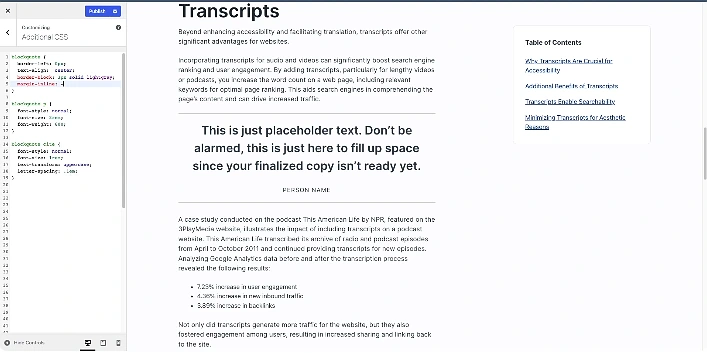
A slider that looks generic will be ignored. The fix is not complicated but it does require attention.
- The tone is established by typography. Quote text should have a large line height and be at least 18 pixels on desktop and 16 pixels on mobile. The most frequent error I encounter is tiny gray quotation text, which really ruins the look.
- Backgrounds matter more than people think. A pure white slider on a pure white page disappears. A soft tinted panel, a subtle border, or a light drop shadow tells the eye “pay attention to this section.” Avoid loud backgrounds that compete with the words themselves.
A minimal CSS treatment that does the job:
css
.quote-slider {
  background: #f7f5f0;
  border-left: 4px solid #c9a96e;
  padding: 32px 40px;
  border-radius: 8px;
  max-width: 720px;
}

.quote-slider blockquote {
  font-size: 1.15rem;
  line-height: 1.6;
  font-style: italic;
  margin: 0 0 16px 0;
}

.quote-slider cite {
  font-size: 0.95rem;
  color: #6b6b6b;
  font-style: normal;
}
The tone is established by motion. Autoplay is OK, but there should be enough time between slides for a person to complete reading. The range that works is six to eight seconds each quotation. Horizontal glides are more lively, whereas fade transitions are quieter. Decide on one and stay with it.
Always include manual controls. Arrows, dots, or both. A slider that forces autoplay with no way to pause or navigate is one of the small everyday cruelties of the modern web.
Step 3: Fill It With Quotes That Actually Work
This is where most sliders quietly fail. Beautiful design wrapped around forgettable quotes is worse than no slider at all, because it signals effort with no payoff.
Specific quotes beat generic ones every single time. Compare these two.
“Great service, highly recommend.” That tells the reader nothing.
“They redesigned our checkout in nine days and our cart abandonment dropped by 18 percent in the next month.” That tells the reader everything. Numbers, timelines, outcomes. Those three ingredients turn a quote from filler into proof.
Each entry needs at least three pieces of information: the quote, the person’s name, and some credibility marker like their company or role. A photo helps. A link to the person’s company website helps even more, because it proves they exist.
Variety matters too. If you sell to both startups and large companies, include quotes from both. If your service helps with speed for some clients and quality for others, include both angles. A slider full of quotes that all say the same thing is less convincing than three quotes saying three different things.
If you store testimonials as structured data, the format stays clean and reusable:
The sweet spot is five to seven quotes. Fewer than three feels thin. More than ten and most visitors will never see the later ones, because they will have scrolled away or clicked something before the rotation completes.
javascript
const testimonials = [
  {
    quote: "They rebuilt our checkout in nine days and our cart abandonment dropped 18%.",
    name: "Priya Shah",
    role: "Founder, NorthLane Goods",
    photo: "/img/priya.jpg",
    link: "https://northlanegoods.com"
  },
  {
    quote: "Three months in and our average order value is up 22%.",
    name: "Daniel Reyes",
    role: "Head of Growth, Brindle Co.",
    photo: "/img/daniel.jpg",
    link: "https://brindle.co"
  }
];
Keeping testimonials in an array like this means you can swap them out, sort them, or pull a different set for different pages without rewriting your HTML.
Step 4: Put It Where It Counts
Placement decides whether your slider earns its keep or just sits there decoratively.
- The two most effective spots on a homepage are just before the primary call-to-action toward the bottom and exactly under the hero section. When visitors are debating whether to continue scrolling, the first one grabs their attention. They are debating whether or not to click when they see the second.
- Position the slider next to the price or the “add to cart” button on a product page. Whenever possible, match the testimonies to that particular product. A general quotation about your business is much less meaningful than one that is customized to the item the visitor is seeing.
- The slider should be placed next to the price table or the contact form on a services or pricing page. The testimonies influence the visitor’s decision-making process.
- The slider works well on a about page next to the team section since other voices counterbalance your own narrative.
Embedding is usually the easy part. WordPress uses shortcodes. Shopify uses embed snippets from the app. Custom sites use a block of HTML and JavaScript like the one above. Paste, save, and test on mobile before anything else. A slider that looks elegant on a desktop monitor can break in ugly ways on a phone screen, and most of your visitors are probably on phones.
Small Habits That Keep the Slider Working
- Refresh the quotes regularly. The same five testimonials sitting in your slider for three years suggests a business that stopped caring. Swap in new ones as you collect them. A simple quarterly review works fine.
- Match the tone. A playful brand voice paired with stiff corporate testimonials creates a weird gap. If your site sounds friendly, pick friendly quotes.
- Test on slow connections. Open your site on a phone with a weak signal and see what happens. If the slider blocks the rest of the page from loading, that is a real problem, not a theoretical one.
- Make it accessible. Keyboard navigation, proper color contrast, and screen reader labels are baseline requirements. They also help your SEO, which is a nice side effect.
Where AI Recommendations Fit In
A slider builds emotional trust. AI-driven product recommendations build perceived relevance. Together they do something neither one does alone.
Here is the mechanic. A visitor reads a glowing testimonial from someone in their industry. Their guard drops a little. A moment later, a recommendation block shows them a product that matches what they were just browsing. The site now feels like it both has happy customers and understands what they specifically want. That combination is harder to walk away from than either piece alone.
Recommendation engines work by tracking clicks, dwell time, past purchases, and patterns from similar users. The output looks handpicked even though it is algorithmic. Pair that output with a slider on the same page and the page starts working harder than the sum of its parts.
Why Catalog Structure Matters Here
Product categories are not just a navigation problem. They shape what your slider should say at every level of your site.
A broad category page like “Outdoor Gear” benefits from sliders featuring general satisfaction quotes about the brand overall. A narrower page like “Backpacking Tents” does better with quotes about that specific product family. The deeper a visitor goes into your catalog, the more specific the social proof should become.
Good categorization also feeds the recommendation engine better data. Clean tags, consistent attributes, and logical hierarchies let the algorithm find better matches. Sloppy categorization hobbles even the best AI tool you can buy.
High-Margin Products Deserve Extra Attention
Every sale is not equivalent. Ten sales of a three-dollar-margin product are equivalent to one sale of a thirty-dollar-margin product. The mathematics ought to influence the placement of your sliders, the quotes that are inserted within them, and the recommendations that your recommendation engine generates.
A practical illustration: testimonials that are particularly about the premium tier should be featured on the homepage, prominently displayed on the pricing page, and included in email campaigns if the premium service tier generates three times the margin of the basic tier. The testimonials from the fundamental rank are still appropriate for inclusion on the site; however, they should not be placed in the most valuable area.
The balance has to stay honest, though. A site that visibly pushes only its most expensive options reads as desperate, not premium. The high-margin focus should feel like a quiet preference, not a sales pitch.
The Foundation Nobody Sees
The most beautiful slider in the world cannot survive a bad shipping experience. Recommendations cannot save a site with broken returns. Catalog structure cannot fix slow customer support.
Everything upstream depends on what happens downstream. Reliable logistics, clear delivery estimates, easy returns, and responsive support are the foundation that keeps your testimonials honest as time passes. A slider that promises fast service while packages arrive late ages badly. Today’s happy quote becomes tomorrow’s angry review.
After-sales support is where loyalty actually gets built. A customer who hits a problem and gets a fast, kind, useful response often becomes more loyal than one who never had a problem at all. Those are the people who write the specific, vivid, number-filled testimonials that make your next slider better than the last one. The cycle, when it works, compounds.