



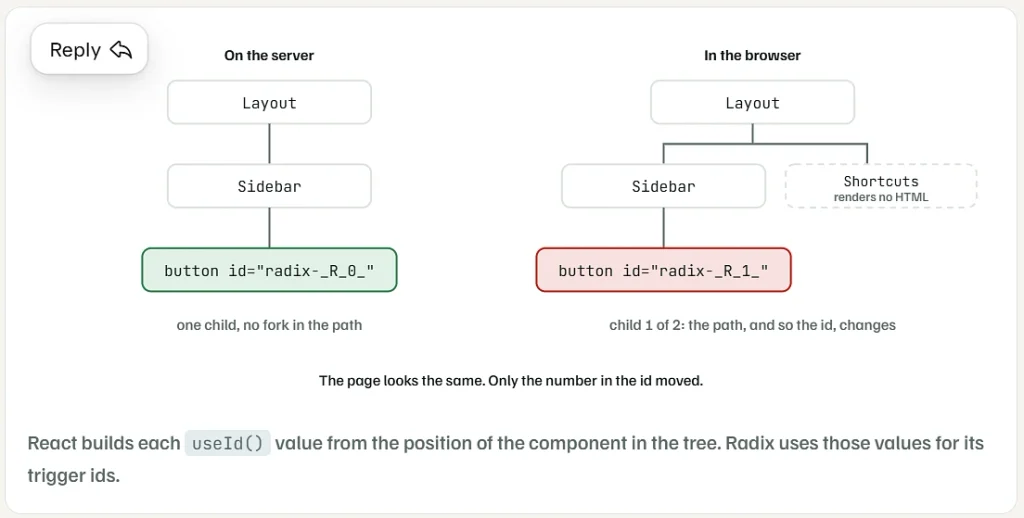
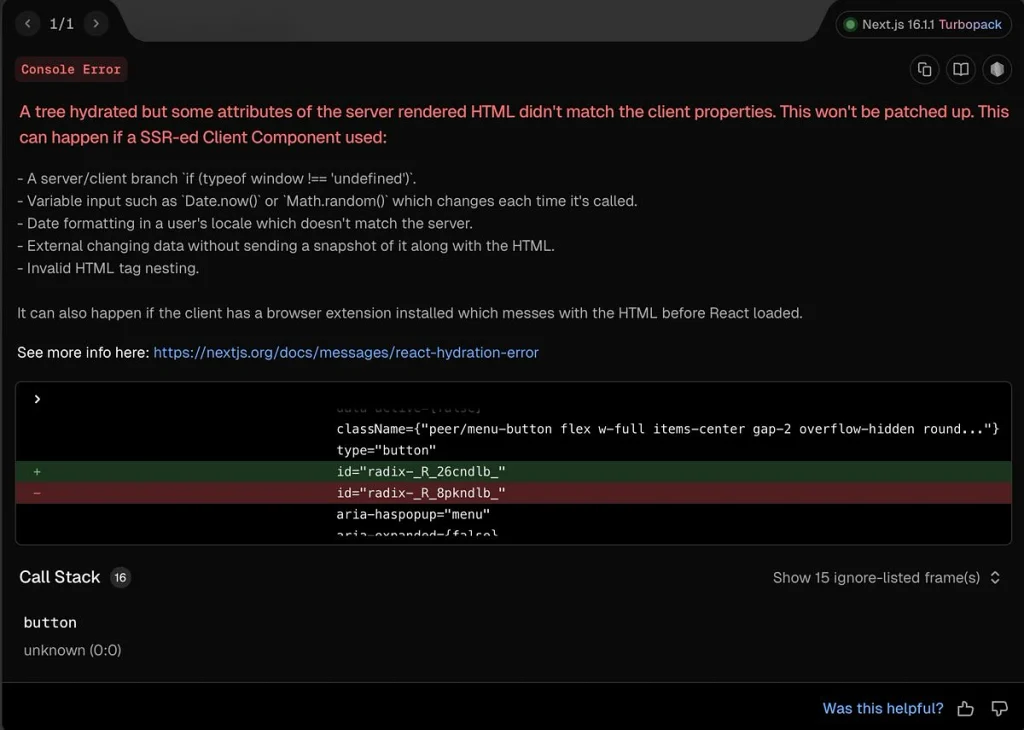
The only thing that differs in your error is theidon the menu button,radix-_R_8pkndlb_from the server andradix-_R_26cndlb_in the browser. Radix does not make those ids up. It takes them from React'suseId(), and React builds each one from the position of the component in the tree. Two different ids therefore mean the tree above the button was shaped differently on the server and on the first render in the browser, though the HTML came out the same. Something above your sidebar branches ontypeof window,localStorage, the screen width or similar, and adds or drops a component. Find that branch and give both sides the same first render. The error goes away, and the button and its menu point at each other again.

Why “Some Page Loads” and Not All of Them
Hydration only happens on a full page load: the first visit, a hard refresh, or a new tab. Clicking a <Link> inside the app renders the next page in the browser alone, so there is nothing to compare and no warning. That is why the error seems random. It appears on reloads and stays quiet while you click around.
It Is More Than a Warning to Silence
“This won’t be patched up” in the message means React keeps the server’s id on the button but uses its own id everywhere else. Radix links the button to the menu with aria-controls on the button and aria-labelledby on the menu, and after this error those two no longer point at each other. Screen readers lose the link between the two. That is the reason to fix the cause, not to hide the message.
We Rebuilt the Exact Error in 16 Lines

To prove the cause, a small page was rendered on the server with React 19.2’s renderToString and then hydrated in Chromium. The menu trigger uses useId() just as Radix does. The only trick is a layout that returns one child on the server and two in the browser, and the second one renders no HTML.
JSX · the smallest code that produces this error
function KeyboardShortcuts() {
  useEffect(() => { /* add key listeners */ }, []);
  return null;                                      // renders no HTML
}

function Layout({ children }) {
  if (typeof window === "undefined") return children;   // server: one child
  return (
    <>
      {children}
      <KeyboardShortcuts />                             {/* browser: two */}
    </>
  );
}

<Layout><nav><MenuTrigger>Account</MenuTrigger></nav></Layout>
What React 19.2 printed in Chromium
A tree hydrated but some attributes of the server rendered HTML didn't match the client properties. This won't be patched up. ...

  <MenuTrigger>
    <button
      type="button"
+     id="radix-_R_1_"
-     id="radix-_R_0_"
      aria-haspopup="menu"
    >
JSX · the fix: the same children on both sides
function Layout({ children }) {
  return (
    <>
      {children}
      <KeyboardShortcuts />      {/* the effect inside still runs only in the browser */}
    </>
  );
}
Same test, same browser
(no hydration warning)
CLIENT id now: radix-_R_1_
Your ids are longer, _R_26cndlb_ rather than _R_1_, because the button sits much deeper in a real app, and every level adds to the path. The exact numbers do not matter. A different number at all means the path differs.
Search the Project for the Branch
The component to fix is above the menu button and renders on the server. These are the patterns that cause it in Tailwind and shadcn projects:
Terminal · run in the project root
grep -rnE "typeof window|typeof document|localStorage|sessionStorage|window\.innerWidth|matchMedia|navigator\." app components hooks lib --include=*.tsx --include=*.ts
if (typeof window === "undefined") return ...in a layout, provider or wrapper. This is the case shown above.- A “mobile” hook that reads
window.innerWidthinuseState. On a phone the first browser render is mobile while the server rendered desktop. TheuseIsMobilehook that ships with shadcn starts withundefinedand is safe; hand-written copies often are not. - User or settings data read from
localStorageduring render, for example a “recent projects” group or a saved sidebar order that adds menu items only in the browser. - An early
if (!mounted) return nullin a parent, which renders a different number of children on the first pass than the server did. Date,Math.random()or a user’s locale used to decide which items show, such as a “new” badge item that only exists for a few days.
A quick way to narrow it down: comment out components above the sidebar one at a time and reload with Ctrl+Shift+R. When the error stops, the last one you removed is the one to fix.
Make the First Browser Render Match the Server

The rule is simple. The first render in the browser must build the same tree as the server. Anything that depends on the browser switches in after that.
Use a Mounted Flag Built on useSyncExternalStore
This hook returns false on the server and during hydration, then true. Unlike the old useState plus useEffect pattern, it causes no extra cascade of renders, and React’s newer lint rules accept it.
TypeScript · hooks/use-mounted.ts
import { useSyncExternalStore } from "react";

const subscribe = () => () => {};

// false on the server and during hydration, true straight after.
export function useMounted() {
  return useSyncExternalStore(subscribe, () => true, () => false);
}
TSX · branch on it instead of typeof window
const mounted = useMounted();

return (
  <SidebarFooter>
    {mounted && user ? <NavUser user={user} /> : <NavUserSkeleton />}
  </SidebarFooter>
);
Note that both branches render one component in the same slot. The skeleton keeps the tree shape, and the real menu replaces it once the page is live.
Read the Screen Width the Same Way
If your project has its own screen-width hook, replace any version that looks like this:
TypeScript · the version to remove
const [isMobile, setIsMobile] = useState(
  typeof window !== "undefined" && window.innerWidth < 768   // true on a phone, false on the server
);
Use this one instead. It gives the server’s answer during hydration and the real one immediately after, and it updates when the window is resized.
TypeScript · hooks/use-media-query.ts
import { useSyncExternalStore } from "react";

export function useMediaQuery(query: string, serverValue = false) {
  return useSyncExternalStore(
    (onChange) => {
      const mql = window.matchMedia(query);
      mql.addEventListener("change", onChange);
      return () => mql.removeEventListener("change", onChange);
    },
    () => window.matchMedia(query).matches,   // in the browser
    () => serverValue,                         // on the server and during hydration
  );
}

// const isMobile = useMediaQuery("(max-width: 767px)");
Let the Server Know the Sidebar State
The shadcn sidebar saves its open or closed state in a cookie named sidebar_state. When the layout reads that cookie on the server, both sides start from the same value. Leave it out, and the first render can differ for users who closed the sidebar.
TSX · app/(dashboard)/layout.tsx, as in the shadcn sidebar docs
import { cookies } from "next/headers";
import { SidebarProvider } from "@/components/ui/sidebar";

export default async function Layout({ children }: { children: React.ReactNode }) {
  const cookieStore = await cookies();
  const defaultOpen = cookieStore.get("sidebar_state")?.value === "true";

  return <SidebarProvider defaultOpen={defaultOpen}>{children}</SidebarProvider>;
}
Skip Server Rendering for a Component That Truly Needs the Browser
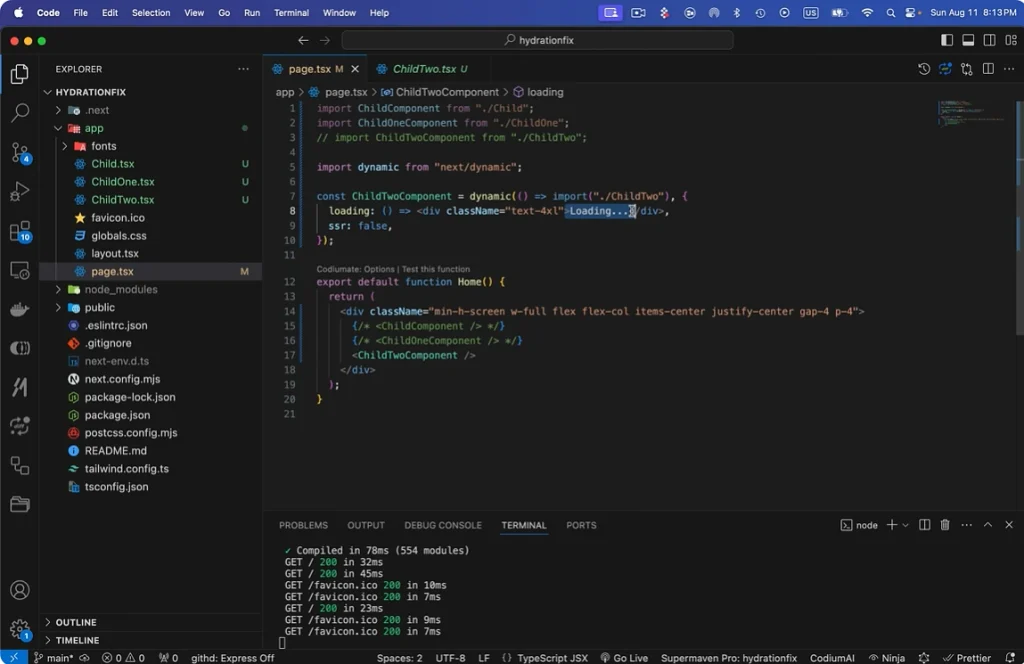
If a menu depends on something that exists only in the browser, render a placeholder on the server and the real thing afterwards. The tree shape stays the same because the dynamic wrapper is there on both sides.
TSX · a component that truly cannot render on the server
"use client";
import dynamic from "next/dynamic";

const UserMenu = dynamic(() => import("./user-menu"), {
  ssr: false,
  loading: () => <div className="h-12 w-full rounded-md bg-sidebar-accent/40" />,
});
Rule Out a Browser Extension and Duplicate Packages
- Open the page in a private window with extensions off. Extensions edit the HTML, not React’s ids, so they rarely cause this exact id mismatch. If the error disappears, an extension was editing the page.
- Check that there is one copy of React and of Radix’s id package. Two copies of
reactbreak hydration in many ways.
npm ls react react-dom @radix-ui/react-dropdown-menu @radix-ui/react-id
One copy of each is what you want
├── react@19.2.x
├── react-dom@19.2.x
└─┬ @radix-ui/react-dropdown-menu@2.x
  └── @radix-ui/react-id@1.x deduped
What Not to Do
- Do not add
suppressHydrationWarningto the trigger. It hides the message for that one element and leaves the brokenaria-controlslink in place. - Do not pass your own
idtoDropdownMenuTrigger. The button takes it, but the menu content keeps pointing at Radix’s id. - Do not wrap the whole sidebar in
ssr: falsejust to make the message go away. You lose the server-rendered sidebar for every visitor to fix a problem that lives in one component.