



Django is a powerful Python web framework that separates concerns elegantly through its Model-Template-View (MTV) architecture. While best practices generally recommend keeping CSS in separate stylesheet files, there are legitimate scenarios where inline CSS becomes useful quick prototyping, dynamic styling based on context variables, email templates, or applying styles that depend on database values.
What Is Inline CSS in Django?
Inline CSS refers to writing CSS styles directly within an HTML element using the style attribute, rather than placing them in an external .css file or within <style> tags in the document head. In Django, this becomes especially powerful because you can mix template variables and Python logic directly into your style declarations.
For example:
html
<p style="color: red; font-size: 18px;">Hello, Django!</p>When combined with Django’s template language, you can do something like:

html
<p style="color: {{ user_color }}; font-size: {{ font_size }}px;">
    Welcome, {{ user.name }}!
</p>
When Should You Use Inline CSS in Django?
While external stylesheets remain the gold standard for styling web applications, inline CSS has its place in several practical scenarios:
- Dynamic styling based on data: When colors, sizes, or other properties depend on database values or user preferences, inline CSS allows you to inject these values directly.
- Email templates: Many email clients strip out external CSS or
<style>blocks, making inline styles the only reliable way to format HTML emails sent through Django. - Quick prototyping: During early development, inline styles let you iterate quickly without context-switching between files.
- One-off styling: When a single element needs unique styling that won’t be reused, inline CSS avoids cluttering your stylesheet with rarely-used classes.
- Conditional styling: Combined with Django’s
{% if %}template tags, inline CSS can apply different styles based on logic.
Method 1: Direct Inline Styles

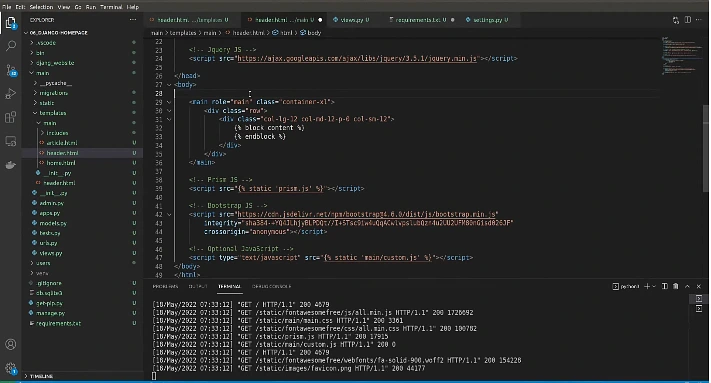
The simplest approach is writing CSS directly in the style attribute of an HTML element within your Django template.
html
{% extends 'base.html' %}

{% block content %}
    <div style="background-color: #f0f8ff; padding: 20px; border-radius: 8px;">
        <h1 style="color: #2c3e50; font-family: Arial, sans-serif;">
            Welcome to My Django Site
        </h1>
        <p style="font-size: 16px; line-height: 1.6;">
            This paragraph uses inline CSS for styling.
        </p>
    </div>
{% endblock %}
This approach works well for static styles that don’t depend on backend data.
Method 2: Dynamic Inline Styles with Context Variables
This is where Django’s template engine truly shines. You can pass styling values from your view to your template through the context dictionary.
views.py:
python
from django.shortcuts import render

def profile_view(request):
    context = {
        'theme_color': '#3498db',
        'text_size': 18,
        'user_name': 'Sarah',
    }
    return render(request, 'profile.html', context)
profile.html:
html
<div style="background-color: {{ theme_color }}; padding: 15px;">
    <h2 style="font-size: {{ text_size }}px; color: white;">
        Hello, {{ user_name }}!
    </h2>
</div>
Method 3: Conditional Inline Styles
Using Django’s template tags, you can apply different styles based on conditions:
html
<p style="color: {% if user.is_premium %}gold{% else %}gray{% endif %};
          font-weight: {% if user.is_premium %}bold{% else %}normal{% endif %};">
    {{ user.username }}
</p>
Method 4: Using Custom Template Filters for Styling
For more complex styling logic, you can create custom template filters. This keeps your templates clean while still allowing dynamic inline styles.
templatetags/style_filters.py:

python
from django import template

register = template.Library()

@register.filter
def status_color(status):
    colors = {
        'active': '#27ae60',
        'pending': '#f39c12',
        'inactive': '#e74c3c',
    }
    return colors.get(status, '#95a5a6')
Usage in template:
html
{% load style_filters %}
<span style="color: {{ user.status|status_color }};">
    {{ user.status }}
</span>
Common Mistakes and How to Fix Them
Now let’s look at a real example of broken Django code that demonstrates several common errors developers make when working with inline CSS. We’ll identify the issues and fix them.
The Broken Code
html
{% extend 'base.html' %}

{% block content %}
    <div style="background-color: {{ bg_color }} padding: 20px">
        <h1 style='color: { text_color }; font-size: {{ heading_size }}'>
            {{ page_title }}
        </h1>

        {% if user.is_active %}
            <p style="color: green font-weight: bold;">
                User is active
            </p>
        {% endif %

        <button style="background: {{ button_color };" onclick="alert('Clicked')">
            Click Me
        </button>
    </div>
{% endblock content %}
Identifying the Errors

This code has several problems:
{% extend %}should be{% extends %}(missing “s”)- Missing semicolon between CSS properties:
{{ bg_color }} padding: 20px - Single curly braces
{ text_color }instead of double{{ text_color }} - Missing unit (
px) onfont-sizevalue - Missing semicolon between
greenandfont-weight: bold - Broken Django tag:
{% endif %(missing closing%}) - Extra semicolon and missing closing brace in button style:
{{ button_color };"should be{{ button_color }};"
The Fix Code
html
{% extends 'base.html' %}

{% block content %}
    <div style="background-color: {{ bg_color }}; padding: 20px;">
        <h1 style="color: {{ text_color }}; font-size: {{ heading_size }}px;">
            {{ page_title }}
        </h1>

        {% if user.is_active %}
            <p style="color: green; font-weight: bold;">
                User is active
            </p>
        {% endif %}

        <button style="background: {{ button_color }};" onclick="alert('Clicked')">
            Click Me
        </button>
    </div>
{% endblock content %}
Corresponding View
Here’s the view that would supply the context variables:
python
from django.shortcuts import render

def styled_page(request):
    context = {
        'bg_color': '#ecf0f1',
        'text_color': '#2c3e50',
        'heading_size': 32,
        'page_title': 'My Styled Page',
        'button_color': '#3498db',
    }
    return render(request, 'styled_page.html', context)
Security Consideration: Preventing CSS Injection
When injecting user-supplied values into inline styles, sanitize them first. A malicious user could potentially break out of the style attribute and inject harmful code:
python
from django.utils.html import escape

def safe_view(request):
    user_color = request.GET.get('color', 'blue')
    context = {
        'safe_color': escape(user_color),
    }
    return render(request, 'page.html', context)
Better yet, validate against a whitelist of allowed values:
python
ALLOWED_COLORS = ['red', 'blue', 'green', 'gold']

def validated_view(request):
    user_color = request.GET.get('color', 'blue')
    safe_color = user_color if user_color in ALLOWED_COLORS else 'blue'
    return render(request, 'page.html', {'color': safe_color})