



To solve the problem of Headers already sent error in PHP, you need to find and delete any output no matter how small is sent out to the browser prior to the call of your header(), session start or set cookie functions.

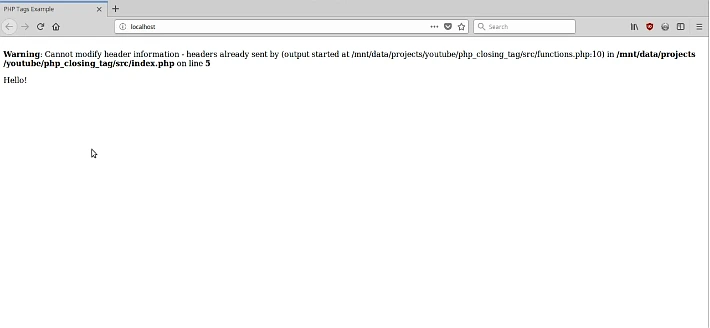
Warning: Cannot modify header information - headers already sent by (output started at /some/file.php:12) in /some/file.php on line 23
This usually happens when your code calls header() or setcookie() after PHP has already sent output (HTML/text) to the browser.
In this blog post, you’ll learn:
- What “headers already sent” really means
- The real reasons it happens
- How to fix it correctly (with clean coding examples)
- Best practices to avoid it forever
What Are Headers in PHP?
When a browser requests a page, the server responds in two parts:
- Headers (metadata):
- Redirect location
- Cookies
- Content type (HTML/JSON)
- Cache rules
- Body (actual output):
- HTML
- Text
- JSON
PHP must send headers before the body.
So, if any output (even a space) is sent first, then later you try:
header("Location: ...")setcookie(...)session_start()
PHP throws the warning because headers are already locked.
Why This Error Happen (Most Common Reasons)
You Printed Output Before header() or setcookie():
Wrong:
<?php
echo "Hello"; // Output starts here
header("Location: dashboard.php"); // Now it's too late
Correct:

<?php
header("Location: dashboard.php");
exit;
Always use exit; after redirects to stop script execution.
Whitespace or Blank Line Before <?php:
Even one empty line before <?php counts as output.
Wrong (notice blank line at top):
<?php
header("Location: home.php");
Correct:
<?php
header("Location: home.php");
exit;
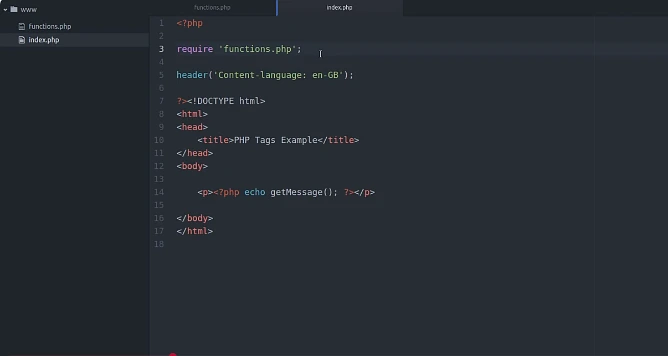
Closing ?> Tag in PHP-Only Files:
In pure PHP files (like config.php, functions.php) the closing ?> can accidentally output whitespace.
Risky:
<?php
// config.php
$siteName = "My Site";
?>
Best practice (remove ?>):
<?php
$siteName = "My Site";
Output from Included Files (include / require):

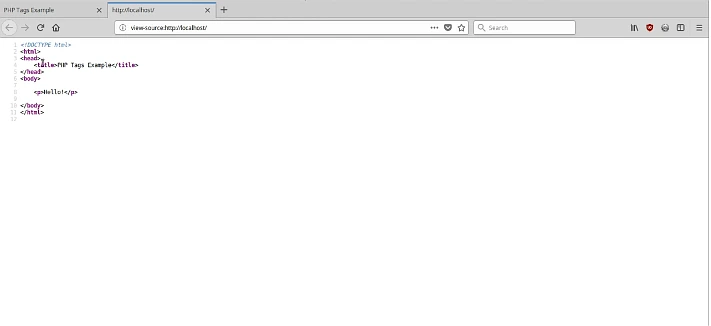
If an included file prints HTML before headers, your headers will fail.
Example:
<?php
require "header.php"; // outputs HTML
setcookie("user", "Ali", time() + 3600); // fails
Fix: Set cookies before loading templates:
<?php
setcookie("user", "Ali", time() + 3600, "/");
require "header.php";
UTF-8 BOM (Invisible Characters):
Some editors save files with a BOM (Byte Order Mark). Those invisible bytes are output before PHP runs.
Fix:
- Re-save your file as UTF-8 without BOM
- In VS Code: “Save with Encoding” → “UTF-8”
Avoid This Error Forever
Do these every time:
- Put
session_start(),setcookie(), andheader()at the top - Never output HTML before redirects/cookies
- Remove closing
?>from PHP-only files - Keep config/includes “silent” (no echo, no HTML)
- Use
exit;afterheader("Location: ...")
Full Example: Clean Login Redirect Script
<?php
session_start();// If user is not logged in, redirect
if (!isset($_SESSION['user_id'])) {
    header("Location: login.php");
    exit;
}// Set a cookie safely
setcookie("visited", "yes", time() + 3600, "/");
?>
<!doctype html>
<html>
<head>
    <title>Dashboard</title>
</head>
<body>
    <h1>Welcome to Dashboard</h1>
</body>
</html>
This is a correct structure:
headers/cookies first → HTML after