
If you encounter the Issue:
insmod: ERROR: could not insert module oxen_aggregator_module.ko: Invalid module format
when trying to insert your Linux kernel module, it’s typically due to a mismatch in the kernel version between your module and the kernel it’s being inserted into. The error message will provide you with clues, such as:
[ 341.458351] oxen_aggregator_module: version magic '3.17.8-gentoo-r1 SMP mod_unload modversions ' should be '3.17.8-gentoo-r1 SMP mod_unload '
This points out that there’s a mismatch in the modversions flag, which is required for handling symbol versioning properly. You may face this problem if you’ve set modversions in your module build configuration, but it’s not matching the kernel’s version magic correctly.
Steps to Fix the Issue:
Check Kernel Version Compatibility:
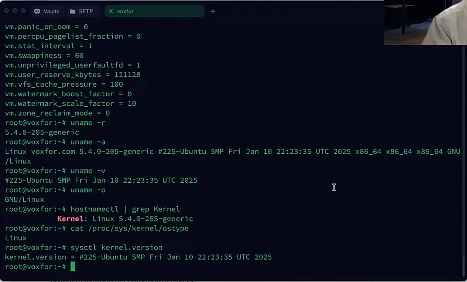
- Ensure that you’re building your module against the correct kernel version. You can confirm the kernel version you are currently using by running: uname -r This should match the version used in your
Makefilewhen building the module.
Use Correct Kernel Sources:
- Make sure that your module is using the proper kernel source path. It seems like you’re using
/usr/src/linux-$(shell uname -r)in yourMakefile. However, verify that this directory is correctly pointing to the kernel sources for your current running kernel.
Modify the Makefile for Correct Symbol Versioning:
The error indicates a mismatch between the version magic string and the kernel symbols. To fix this, ensure that you’re including the correct Module.symvers file from the kernel sources: Modify the KBUILD_EXTRA_SYMBOLS line in your Makefile to: KBUILD_EXTRA_SYMBOLS := /usr/src/linux-$(shell uname -r)/Module.symvers Ensure that Module.symvers exists at that path. If not, you may need to regenerate the symbols.
Regenerate Module Symbols:
Sometimes the Module.symvers file might not be generated or updated properly. To fix this, clean the build environment and recompile your module:
- Clean the build: make clean
- Rebuild the module: make -C /lib/modules/$(shell uname -r)/build M=$(PWD) modules
make -C /lib/modules/$(shell uname -r)/build M=$(PWD) modules_install
Confirm the modversions Flag:
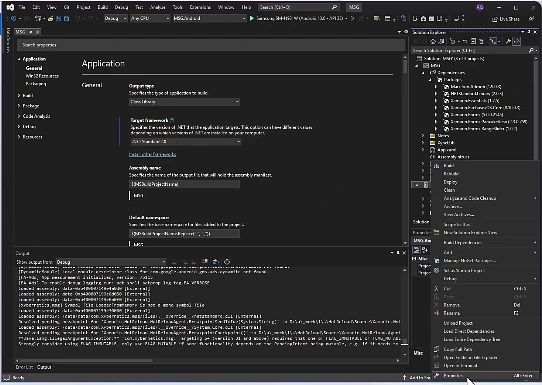
The key issue here is the use of the modversions flag, which is necessary to ensure symbol versioning is handled correctly. You may want to double-check that the module is being built with the correct versioning flags and that there are no extra spaces or syntax issues in the Makefile.
- Check dmesg Output:
After attempting to insert the module again, check thedmesglogs for any further clues: dmesg | tail -n 20. - Rebuild Kernel or Module Headers if Necessary:
If the problem persists, ensure that your kernel headers are up-to-date and correctly matched to the running kernel. Sometimes, a mismatch in kernel headers or missing kernel headers might cause this issue. - Manual Fix (if above doesn’t work):
If your module compilation is fine and you still encounter the error, you can manually remove the version mismatch by verifying the version string in the kernel module: strings oxen_aggregator_module.ko | grep version Check if theversion magicstring inside the module matches exactly with your running kernel.
By following these steps, you should be able to resolve the “Invalid module format” issue and load your Linux module successfully.
Example Makefile Update
SRCS    = oxen_aggregator_module.c
OBJS    = $(SRCS:.c=.o)obj-m += $(OBJS)KBUILD_EXTRA_SYMBOLS := /usr/src/linux-$(shell uname -r)/Module.symversall:
    make -C /lib/modules/$(shell uname -r)/build M=$(PWD) modules
    make -C /lib/modules/$(shell uname -r)/build M=$(PWD) modules_installclean:
    make -C /lib/modules/$(shell uname -r)/build M=$(PWD) clean
    $(RM) Module.markers modules.order
This setup ensures that Module.symvers is properly included during the build process, helping you avoid version mismatches that result in the “Invalid module format” error.