

Key Points
Before you read the full story, here’s what you need to know at a glance:
- What’s happening? Xcode’s linker is finding a
.dylib(dynamic library) in your C++ game project that was compiled with a minimum deployment target of iOS 8.1 a version Apple dropped support for years ago. This creates a version mismatch with your modern app target (e.g., iOS 15.0+), causing warnings or outright build failures.
- Why does this happen? The iOS deployment target gets baked into every compiled binary as metadata. If your C++ libraries were built with old CMake caches, outdated toolchain files, stale environment variables, or prebuilt vendor binaries, they can silently carry
iOS 8.1as their minimum target even if your app targets iOS 15+.
- How do you diagnose it? Run
otool -l yourlib.dylib | grep -A 4 LC_VERSION_MIN_IPHONEOSon every.dyliband.afile in your project. Any library showingversion 8.1is the culprit. This article includes a full scanning script you can copy and run immediately.
| Source of the Problem | What to Do |
|---|---|
| CMake cache | Delete build/ folder, reconfigure with -DCMAKE_OSX_DEPLOYMENT_TARGET=15.0 |
| Xcode build settings | Set IPHONEOS_DEPLOYMENT_TARGET to 15.0 on every target |
| Hardcoded compiler flags | Remove -miphoneos-version-min=8.1 from “Other C++ Flags” |
| Shell environment | Run unset IPHONEOS_DEPLOYMENT_TARGET and clean your shell profiles |
| Prebuilt third-party dylib | Rebuild from source, or re-stamp with vtool -set-build-version |
| Xcode caches | Run rm -rf ~/Library/Developer/Xcode/DerivedData and do a clean build |
One Command to Verify the Fix:
otool -l ./Build/Products/Debug-iphoneos/MyGame.app/MyGame | grep -A 4 "LC_BUILD_VERSION"
# Should show: minos 15.0 (not 8.1)
Now, if you want the full story and the reasoning behind each step, read on.
It was supposed to be a quick build. I had a C++ game engine compiling cleanly on macOS, a fresh Xcode project wrapping it for iOS, and the naive confidence of someone who had done this before. Then the linker spoke:
ld: warning: dylib (/path/to/libGameEngine.dylib) was built for newer iOS version (8.1)
   than being linked (14.0)
Or worse, the build failed outright:
ld: building for iOS, but linking in dylib built for iOS 8.1,
   file '/usr/local/lib/libGamePhysics.dylib' for architecture arm64
I stared at the error. iOS 8.1? I hadn’t thought about iOS 8 since 2014. Where was this ghost coming from, and why was it haunting my perfectly modern build?
This article documents the investigation and the fix. If you’re building a C++ game (or any native C++ library) for iOS and Xcode is complaining about an ancient deployment target baked into your dylib, this is for you.
Understanding the Problem
When you compile a dynamic library (.dylib) on macOS or iOS, the compiler embeds metadata into the binary. One critical piece of that metadata is the minimum deployment target the oldest OS version the library claims to support. This is set at compile time through flags like -miphoneos-version-min=8.1 or the IPHONEOS_DEPLOYMENT_TARGET build setting.
The linker error occurs when there’s a mismatch between the deployment target of your main application and the deployment target embedded in a linked dylib. Specifically:
- Your app targets iOS 14.0+ (or whatever modern version you’ve set).
- A dylib you’re linking was compiled with a deployment target of iOS 8.1.
- Xcode’s linker flags this as a conflict.
This mismatch often happens silently. You build your C++ library with CMake, Makefiles, or a custom build script, and if those scripts don’t explicitly set the deployment target, they can inherit stale defaults sometimes from an old toolchain, an outdated CMake cache, or even from environment variables left over from a previous project.
Where iOS 8.1 Creeps In
There are several common sources of this ghost version:
1. Stale CMake cache. If you’ve ever configured CMake with -DCMAKE_OSX_DEPLOYMENT_TARGET=8.1 or -DIOS_DEPLOYMENT_TARGET=8.1, that value lives in CMakeCache.txt until you explicitly delete or overwrite it. Rebuilding without clearing the cache perpetuates the old target.
2. Default toolchain behavior. Some older versions of CMake iOS toolchain files (like the popular ios.toolchain.cmake from various GitHub repos) hardcoded iOS 8.1 as the default minimum deployment target. If you grabbed one of these years ago and never updated it, every library you build through it carries that fossil.
3. Third-party prebuilt libraries. If you’re linking a prebuilt .dylib for a physics engine, audio library, or rendering backend, the vendor may have compiled it with an old deployment target. You can check this yourself:
otool -l libGamePhysics.dylib | grep -A 3 LC_VERSION_MIN_IPHONEOSThe output reveals the embedded minimum version:
      cmd LC_VERSION_MIN_IPHONEOS
  cmdsize 16
  version 8.1
      sdk 14.5
There it is version 8.1. That’s the deployment target baked into the binary.
4. Environment variable leakage. If IPHONEOS_DEPLOYMENT_TARGET=8.1 is set in your shell environment (perhaps from a script you ran months ago), tools like clang and ld will silently pick it up.
Step by Step Fix iOS 8.1 Dylib
Step 1: Identify Every Offending Binary
Before you fix anything, find every dylib and .a (static library) in your project with a mismatched deployment target. Run this from your project root:
#!/bin/bash
# scan_deployment_targets.sh
# Scans all .dylib and .a files for their embedded iOS deployment target.

TARGET_DIR="${1:-.}"
echo "Scanning for deployment targets in: $TARGET_DIR"
echo "============================================="

find "$TARGET_DIR" -type f \( -name "*.dylib" -o -name "*.a" \) | while read -r lib; do
    version_info=$(otool -l "$lib" 2>/dev/null | grep -A 4 "LC_VERSION_MIN_IPHONEOS")
    if [ -n "$version_info" ]; then
        version=$(echo "$version_info" | grep "version" | awk '{print $2}')
        echo "$lib -> iOS $version"
    fi

    # Also check LC_BUILD_VERSION (newer format used by Xcode 10+)
    build_info=$(otool -l "$lib" 2>/dev/null | grep -A 6 "LC_BUILD_VERSION")
    if [ -n "$build_info" ]; then
        minos=$(echo "$build_info" | grep "minos" | awk '{print $2}')
        if [ -n "$minos" ]; then
            echo "$lib -> iOS $minos (LC_BUILD_VERSION)"
        fi
    fi
done
Run it:
chmod +x scan_deployment_targets.sh
./scan_deployment_targets.sh ./libs
This gives you a clear inventory. Any library showing iOS 8.1 (or any version older than your app’s deployment target) is a problem.
Step 2: Fix Your CMake Toolchain
If you’re building your C++ game engine or libraries with CMake, this is almost certainly where the fix lives. Open your CMake toolchain file or your top-level CMakeLists.txt and make sure the deployment target is set correctly:
# CMakeLists.txt — set the deployment target BEFORE the project() call
cmake_minimum_required(VERSION 3.21)

# This must come before project()
set(CMAKE_OSX_DEPLOYMENT_TARGET "15.0" CACHE STRING "Minimum iOS deployment target")

# If using a toolchain file, also set:
set(DEPLOYMENT_TARGET "15.0" CACHE STRING "" FORCE)

project(MyGameEngine LANGUAGES CXX C)

# Verify it took effect
message(STATUS "iOS Deployment Target: ${CMAKE_OSX_DEPLOYMENT_TARGET}")
Critical: Delete your old CMake build directory entirely before reconfiguring. A stale CMakeCache.txt will override your new settings:
rm -rf build/
mkdir build && cd build
cmake -G Xcode \
  -DCMAKE_SYSTEM_NAME=iOS \
  -DCMAKE_OSX_DEPLOYMENT_TARGET=15.0 \
  -DCMAKE_OSX_ARCHITECTURES=arm64 \
  ..
Step 3: Fix Xcode Project Settings Directly
If your C++ code is compiled directly within an Xcode project (not through CMake), open the project and navigate to your target’s Build Settings:
- Search for iOS Deployment Target (the build setting key is
IPHONEOS_DEPLOYMENT_TARGET). - Set it to your desired minimum, e.g.,
15.0. - Do this for every target in the project, including any static library or framework targets that build your C++ code.
- Check the Project-level setting too (click the project name in the navigator, not a specific target). Target settings inherit from the project, but explicit overrides at the target level take priority.
Also check for stragglers in “Other Linker Flags” and “Other C++ Flags”:
# Look for anything like this in Other C++ Flags:
-miphoneos-version-min=8.1    # <-- This is your problem

# Replace it with:
-miphoneos-version-min=15.0   # <-- Or remove it entirely and let the
                               #     build setting handle it
Step 4: Clean the Environment
Check your shell for leaked environment variables:
echo $IPHONEOS_DEPLOYMENT_TARGET
echo $MACOSX_DEPLOYMENT_TARGET
If either prints an old value, unset it:
unset IPHONEOS_DEPLOYMENT_TARGET
unset MACOSX_DEPLOYMENT_TARGET
Then check your shell profile files (~/.zshrc, ~/.bashrc, ~/.bash_profile) for any lines that export these variables and remove or update them.
Step 5: Rebuild Prebuilt Libraries (If Needed)
If the offending dylib is a third-party library you have source code for, rebuild it with the correct deployment target. For a typical C++ library using a Makefile:
export IPHONEOS_DEPLOYMENT_TARGET=15.0

# For cross-compiling to iOS arm64
xcrun --sdk iphoneos clang++ \
  -arch arm64 \
  -miphoneos-version-min=15.0 \
  -isysroot $(xcrun --sdk iphoneos --show-sdk-path) \
  -std=c++17 \
  -dynamiclib \
  -o libGamePhysics.dylib \
  physics_engine.cpp collision.cpp rigid_body.cpp
If you don’t have the source code, you have two options. First, contact the vendor and request an updated build. Second, if the library is otherwise functional and you’re confident the old deployment target is just metadata noise, you can patch it with vtool (available in Xcode’s toolchain):
# Re-stamp the deployment target metadata without recompiling
vtool -set-build-version ios 15.0 16.0 \
  -replace \
  -output libGamePhysics_fixed.dylib \
  libGamePhysics.dylib
This rewrites the LC_BUILD_VERSION load command. It doesn’t change the compiled code, so only use this when you’re sure the library is compatible.
Step 6: Nuke Derived Data
After making all the above changes, clean Xcode’s caches completely:
rm -rf ~/Library/Developer/Xcode/DerivedData
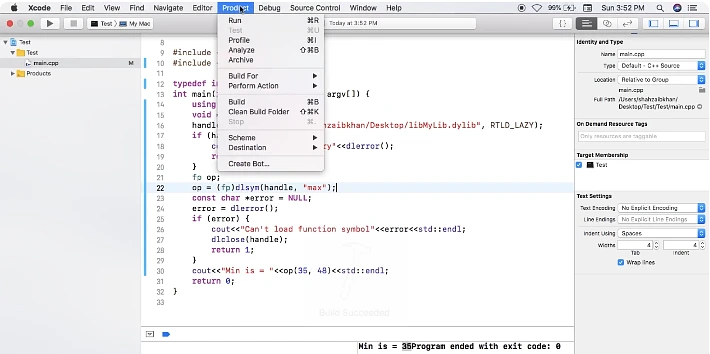
Then in Xcode: Product → Clean Build Folder (Shift+Cmd+K), and rebuild.
Verify the Fix
After rebuilding, verify that your output binary no longer references iOS 8.1:
# Check the final app binary
otool -l ./Build/Products/Debug-iphoneos/MyGame.app/MyGame \
  | grep -A 4 "LC_BUILD_VERSION"
You should see your target version reflected:
      cmd LC_BUILD_VERSION
  cmdsize 32
 platform IOS
    minos 15.0
      sdk 17.5
   ntools 1
No more 8.1. No more ghost.
Why This Matters for Game Builds Specifically
Game projects are especially prone to this issue because they tend to accumulate native C++ dependencies over time physics engines, audio middleware, networking layers, scripting bindings, custom renderers each potentially built at a different time with a different toolchain configuration. Unlike a typical Swift/ObjC app that pulls everything from CocoaPods or SPM (where deployment targets are managed more consistently), a C++ game build often involves manual compilation steps that are easy to misconfigure and hard to audit.
The lesson is straightforward: treat your deployment target as infrastructure, not a detail. Set it once, set it explicitly, and verify it at build time. A two-line check in your CI script can save you hours of debugging:
# Add to your CI pipeline
otool -l "$BUILD_OUTPUT" | grep -A 4 "LC_VERSION_MIN\|LC_BUILD_VERSION" \
  | grep -E "version|minos" \
  | awk '{if ($2 < 15.0) { print "ERROR: Stale deployment target found: " $2; exit 1 }}'