

A 400 Bad Request error means the server rejected the request due to malformed syntax, invalid data, or missing fields. The problem is almost always on the client side (your Android app or the request format).

Common 400 Causes Quick Reference
| Cause | Fix |
|---|---|
Missing Content-Type header | Add 'Content-Type': 'application/json' |
Sending undefined or null | Validate payload before sending |
| Missing required fields | Check server validation rules |
| Wrong endpoint URL | Verify URL and route spelling |
| CORS rejection | Add Flask-CORS or FastAPI middleware |
| HTTP blocked on Android | Add network_security_config.xml |
| Wrong data format (form vs JSON) | Match server expectation |
Step 1: Identify the Root Cause
Before fixing, check what the server actually received. Add this to your Python backend (Flask/FastAPI/Django):
Flask
from flask import Flask, request, jsonify

app = Flask(__name__)

@app.route('/api/data', methods=['POST'])
def receive_data():
    print("Headers:", dict(request.headers))
    print("Body:", request.get_data())
    print("JSON:", request.get_json(silent=True))

    data = request.get_json(silent=True)
    if not data:
        return jsonify({"error": "Invalid or missing JSON body"}), 400

    return jsonify({"message": "Success"}), 200
FastAPI
from fastapi import FastAPI, Request
import logging

app = FastAPI()
logging.basicConfig(level=logging.DEBUG)

@app.post("/api/data")
async def receive_data(request: Request):
    body = await request.body()
    logging.debug(f"Raw Body: {body}")
    logging.debug(f"Headers: {dict(request.headers)}")
    return {"message": "Success"}
Step 2: Fix Content-Type Header (Most Common Cause)
Android Axios must send the correct Content-Type header.
Wrong (Missing Header)
axios.post('http://192.168.1.1:5000/api/data', { name: "John" });
Correct (With Headers)
import axios from 'axios';

const response = await axios.post(
  'http://192.168.1.1:5000/api/data',
  { name: "John" },
  {
    headers: {
      'Content-Type': 'application/json',
      'Accept': 'application/json',
    }
  }
);
Step 3: Validate Request Payload
Make sure the data you’re sending is not null, undefined, or malformed.
// Validate before sending
const sendData = async (payload) => {
  if (!payload || typeof payload !== 'object') {
    console.error('Invalid payload');
    return;
  }

  try {
    const response = await axios.post(
      'http://your-server-ip:5000/api/data',
      JSON.stringify(payload),   // Explicitly stringify
      {
        headers: { 'Content-Type': 'application/json' }
      }
    );
    console.log('Response:', response.data);
  } catch (error) {
    if (error.response) {
      console.error('Status:', error.response.status);
      console.error('Server Error:', error.response.data);  // <-- Read this!
    }
  }
};
Step 4: Fix Python Backend Validation Errors
If your Python server uses strict validation, a missing field causes 400. Fix it server-side:
Flask Validate Fields
@app.route('/api/register', methods=['POST'])
def register():
    data = request.get_json()

    # Check required fields
    required = ['username', 'email', 'password']
    missing = [field for field in required if field not in data]

    if missing:
        return jsonify({
            "error": f"Missing fields: {', '.join(missing)}"
        }), 400

    # Process valid data
    return jsonify({"message": "Registered successfully"}), 201
FastAPI Use Pydantic Models
from pydantic import BaseModel, validator
from fastapi import FastAPI

app = FastAPI()

class UserModel(BaseModel):
    username: str
    email: str
    password: str

    @validator('email')
    def validate_email(cls, v):
        if '@' not in v:
            raise ValueError('Invalid email format')
        return v

@app.post("/api/register")
async def register(user: UserModel):
    return {"message": f"Welcome, {user.username}"}
Step 5: Fix CORS Issue (Android → Python Server)
Android apps hitting a Python server often fail due to CORS rejection.
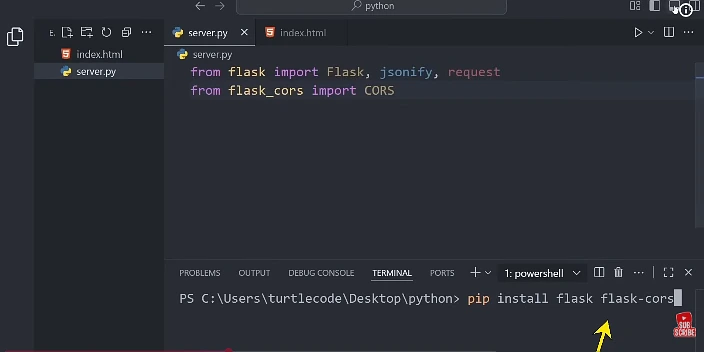
Flask-CORS Fix
from flask import Flask
from flask_cors import CORS

app = Flask(__name__)
CORS(app, resources={r"/api/*": {"origins": "*"}})  # Allow all origins
FastAPI CORS Fix
from fastapi.middleware.cors import CORSMiddleware

app.add_middleware(
    CORSMiddleware,
    allow_origins=["*"],
    allow_methods=["*"],
    allow_headers=["*"],
)
Step 6: Fix Android Network Config (HTTP vs HTTPS)
Android 9+ blocks plain HTTP by default. If your Python server uses HTTP, add this config.
res/xml/network_security_config.xml
<?xml version="1.0" encoding="utf-8"?>
<network-security-config>
    <domain-config cleartextTrafficPermitted="true">
        <domain includeSubdomains="true">192.168.1.1</domain>
    </domain-config>
</network-security-config>
AndroidManifest.xml
<application
    android:networkSecurityConfig="@xml/network_security_config"
    ...>
Step 7: Add Global Axios Error Interceptor
Handle all 400 errors globally in your Android app:
// axiosInstance.js
import axios from 'axios';

const api = axios.create({
  baseURL: 'http://192.168.1.1:5000',
  timeout: 10000,
  headers: { 'Content-Type': 'application/json' }
});

// Response interceptor
api.interceptors.response.use(
  response => response,
  error => {
    if (error.response?.status === 400) {
      const msg = error.response.data?.error || 'Bad Request';
      console.error('400 Error:', msg);
      // Show user-friendly alert here
    }
    return Promise.reject(error);
  }
);

export default api;
Step 8: Test with curl Before Android
Always isolate whether the bug is in Android or the server:
# Test your Python API directly
curl -X POST http://localhost:5000/api/register \
  -H "Content-Type: application/json" \
  -d '{"username": "test", "email": "test@test.com", "password": "1234"}'
If curl works but Android fails → problem is in Android request setup.
If curl also fails → problem is in your Python server.