



Key Points
- The Problem: Node.js
fs.writeFilethrows anENOENTerror if the parent directory doesn’t exist it won’t create folders automatically. - The Solution: Use
fs.mkdirwith{ recursive: true }before writing the file to create the entire folder chain in one step. - Best Approach: Use the modern
fs/promisesmodule withasync/awaitfor cleaner, more readable code. recursive: trueis the magic flag it works likemkdir -pin Linux, creating nested folders and ignoring existing ones without errors.- Always use the
pathmodule (path.dirname()) to handle file paths correctly across Windows, macOS, and Linux. - Three approaches available: Async/await (recommended), Synchronous (for scripts), and Callback style (legacy code).
- Always wrap file operations in
try/catchto handle permission errors, invalid paths, and disk issues gracefully.
If you have ever tried to write a file to a folder that doesn’t exist yet in Node.js, you’ve probably been greeted with a frustrating error message:
Error: ENOENT: no such file or directoryThis is one of the most common stumbling blocks for beginner Node.js developers. The good news? It’s incredibly easy to fix once you understand what’s happening. We’ll walk through the problem, the modern solution, and a few alternative approaches so you can handle file writing like a pro.
Understanding the Problem
By default, Node.js’s fs.writeFile method will not create missing parent directories for you. If you try to write a file to a path like ./logs/2026/may/output.txt and any of those folders don’t exist, the operation will fail.
The solution is straightforward: before writing the file, make sure the directory exists. We’ll use fs.mkdir with the recursive: true option to create the entire folder chain in one go.
Best Practice: The Async/Await Approach

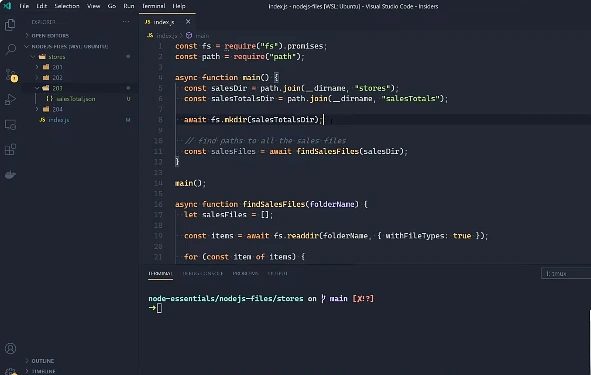
The cleanest, most modern way to handle this is by using the fs/promises module along with async/await. This approach gives you readable code and proper error handling.
javascript
import { mkdir, writeFile } from 'node:fs/promises';
import { dirname } from 'node:path';

async function writeToFileWithDir(filePath, content) {
  try {
    // 1. Get the parent directory path
    const dir = dirname(filePath);

    // 2. Create the directory (and any missing parents)
    // { recursive: true } prevents errors if it already exists
    await mkdir(dir, { recursive: true });

    // 3. Write the file
    await writeFile(filePath, content, 'utf8');
    console.log('File saved successfully!');
  } catch (err) {
    console.error('Error writing file:', err);
  }
}

writeToFileWithDir('./logs/2026/may/output.txt', 'Hello World!');
What’s Happening Here?
Let’s break this down step by step:
dirname(filePath)extracts just the directory portion of the path. For./logs/2026/may/output.txt, it returns./logs/2026/may.mkdir(dir, { recursive: true })creates the entire directory tree. Therecursive: trueflag is the magic ingredient it creates any missing parent folders and silently succeeds if the directory already exists.writeFile(filePath, content, 'utf8')finally writes your content to the file using UTF-8 encoding.
Note: To use
importsyntax, yourpackage.jsonneeds"type": "module", or your file should use the.mjsextension. If you’re using CommonJS, swap the import forconst { mkdir, writeFile } = require('node:fs/promises');.
Alternative Methods File Node.js

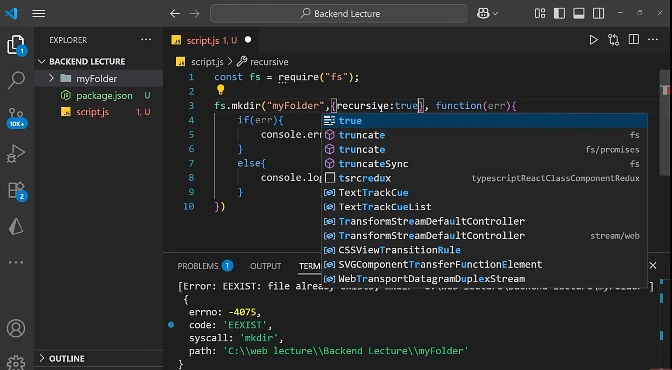
Depending on your project, you might prefer one of these approaches.
Synchronous Version
For quick scripts, CLI tools, or one-off automation tasks where blocking the event loop isn’t a concern, the synchronous API is perfectly fine and arguably simpler:
javascript
const fs = require('fs');
const path = require('path');

const filePath = './data/config.json';
const dir = path.dirname(filePath);

if (!fs.existsSync(dir)) {
  fs.mkdirSync(dir, { recursive: true });
}

fs.writeFileSync(filePath, JSON.stringify({ status: 'ok' }, null, 2));
console.log('Config saved!');
Warning: Avoid synchronous file operations in web servers or any code that handles concurrent requests. They block the entire Node.js event loop, which can cause serious performance issues under load.
Legacy Callback Style
You’ll still see this pattern in older codebases. It works, but the nesting can quickly turn into “callback hell” if you’re chaining many operations:
javascript
const fs = require('fs');

fs.mkdir('./output', { recursive: true }, (err) => {
  if (err) throw err;

  fs.writeFile('./output/test.txt', 'Data', (err) => {
    if (err) throw err;
    console.log('Done!');
  });
});
If you’re starting a new project, stick with the async/await approach your future self will thank you.
Key Technical Details to Remember
A few things are worth committing to memory:
recursive: true is essential. This option works just like mkdir -p in Linux. It creates every folder along the path (e.g., a/b/c) and won’t throw an error if the directory already exists. Without it, mkdir will fail the moment it hits a missing parent or an existing folder.
Always use the path module for paths. Hardcoding strings like 'logs/2026/may' might work on your machine, but file path separators differ between Windows (\) and Linux/macOS (/). The built-in path module specifically path.dirname() and path.join() handles these differences automatically, making your code portable.
Handle errors properly. File system operations can fail for many reasons: permission issues, disk full, invalid paths, and so on. Always wrap your code in try/catch (for async) or check the error argument (for callbacks). Silent failures in file I/O are a debugging nightmare.
A Reusable Helper Function for Real Projects

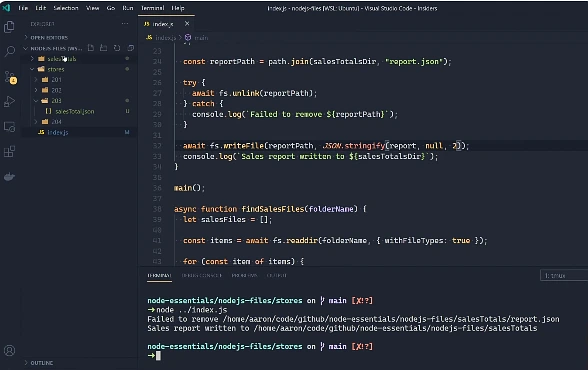
Here’s a slightly more polished version of the async function that you can drop into any real-world project. It returns a boolean to indicate success, which is handy when calling it from other parts of your application:
javascript
import { mkdir, writeFile } from 'node:fs/promises';
import { dirname } from 'node:path';

async function safeWriteFile(filePath, content) {
  try {
    await mkdir(dirname(filePath), { recursive: true });
    await writeFile(filePath, content, 'utf8');
    return true;
  } catch (err) {
    console.error(`Failed to write ${filePath}:`, err.message);
    return false;
  }
}

// Usage
const success = await safeWriteFile(
  './logs/2026/may/output.txt',
  'Hello World!'
);

if (success) {
  console.log('All set!');
}
You can place this in a utils/fileHelpers.js file and import it anywhere you need to safely write files saving logs, generating reports, caching API responses, you name it.